Introduction
A business team needs an application to track employee requests, manage inventory, or simplify customer onboarding. Traditionally, building it required defining requirements, designing screens, connecting data, and configuring business logic. Low-code platforms made this process faster, but developers and makers still had to assemble much of the application manually.
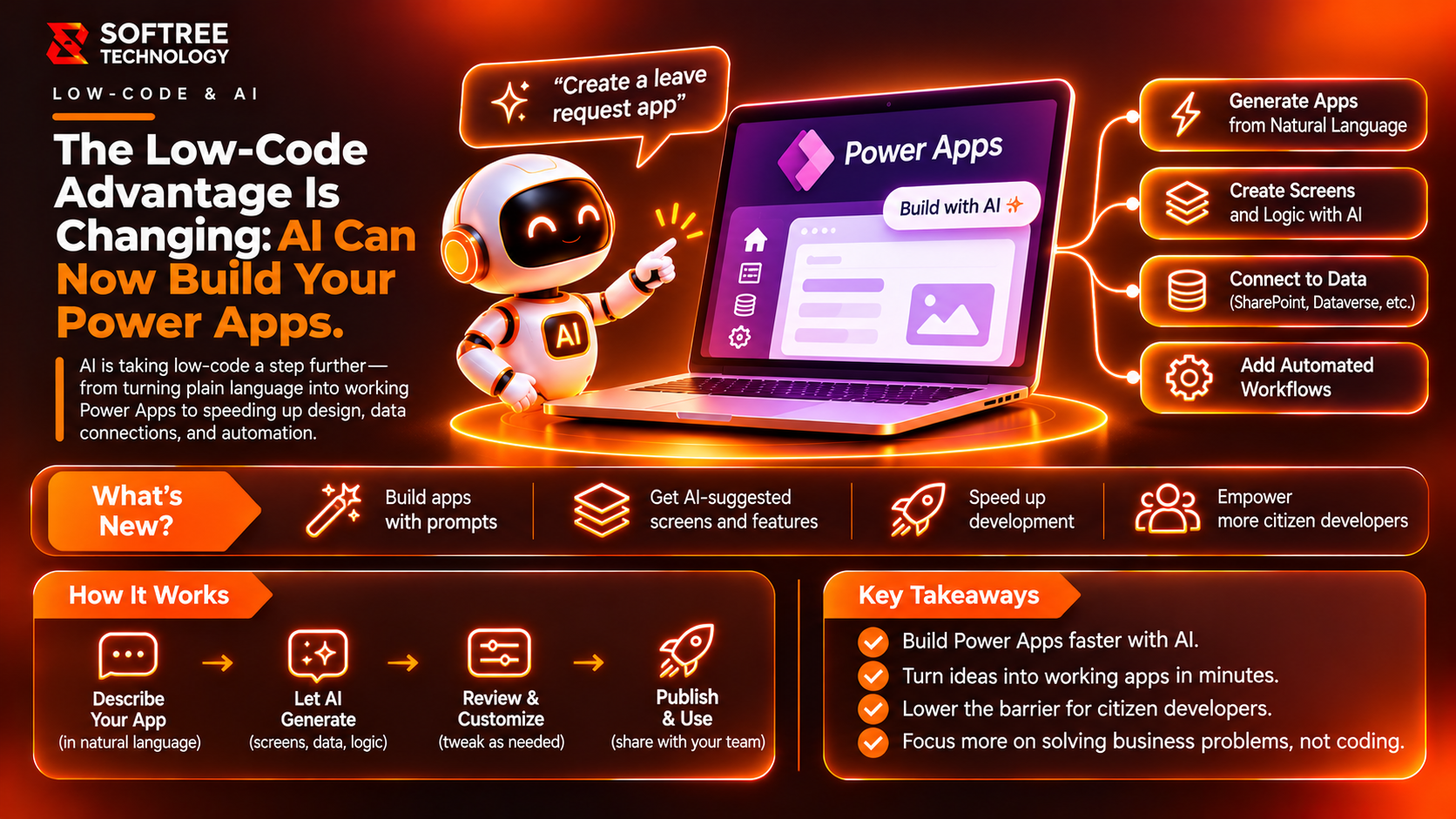
AI is changing that process. With AI-assisted Power Apps development, makers can describe applications in natural language and use AI to generate app structures, screens, data models, and formulas. Developers can also use AI coding agents to create or update canvas apps.
The opportunity is not simply to build applications faster. It is to reduce repetitive development work while focusing more on business requirements, validation, security, and application quality.
Key Takeaways
AI-powered Power Apps development uses artificial intelligence to accelerate business application creation. Natural-language instructions, AI-generated structures, and Power Fx assistance can simplify development. However, generated applications still require developers to validate business logic, data relationships, permissions, integrations, and deployment readiness.
What We Learned
How AI-Assisted Power Apps Development Works
AI-assisted development can support several stages of application creation:
- Describe the business requirement, users, information, and workflow.
- Generate an initial application structure or data model.
- Create or configure screens, controls, navigation, and formulas.
- Connect Dataverse, SharePoint, or other supported data sources.
- Review generated logic and validate application behavior.
- Apply permissions, governance, and environment controls before deployment.
AI can accelerate the starting point, but developers and makers remain responsible for reviewing the generated output.
How AI Fits into Power Apps Architecture
A simplified development flow looks like this:
Business Requirements → AI Assistant or Coding Agent → App Structure and Data Model → Screens, Controls, and Power Fx → Dataverse / SharePoint / Connectors → Validation and Testing → Governed Deployment.
Power Apps provides the application platform, data connections, and runtime environment. AI supports the creation process, while technical review ensures the application meets business requirements.
Key Components of AI-Powered Power Apps Development
- Natural-language requirements: Describe application functionality and expected behavior.
- AI app generation: Helps create initial application structures and data models.
- Canvas apps: Provide flexible interfaces for business-specific applications.
- Power Fx: Defines application logic, calculations, and interactions.
- Dataverse and connectors: Connect applications to business data and services.
- AI coding tools: Help generate and edit canvas app code.
- Testing and governance: Validate functionality, permissions, and production readiness.
Practical Example: Building an Employee Request App
Imagine an organization managing employee requests through emails and spreadsheets. Requests are difficult to track, approvals are delayed, and employees cannot easily check progress.
An AI-assisted Power Apps approach can help create an employee request application.
The application could support:
- Employees submitting requests through forms.
- Managers reviewing and approving or rejecting requests.
- HR and operations teams monitoring request status.
- Employees viewing updates and previous submissions.
A typical workflow:
Employee Submits Request → Power Apps Form → Dataverse Stores Request → Approval Workflow → Manager Review → Status Update and Employee Notification → Request Tracking.
AI can accelerate the initial app structure and suggest formulas. The development team still needs to configure approval processes, validate permissions, handle exceptions, and test the complete workflow.
When Should You Use AI for Power Apps Development?
AI assistance is particularly useful when:
- Building business application prototypes quickly.
- Accelerating repetitive screen and formula development.
- Creating forms, dashboards, and request-management applications.
- Exploring application requirements before implementation.
- Reducing manual authoring effort.
Additional engineering oversight is important when applications handle sensitive information, complex business rules, multiple integrations, or demanding performance and accessibility requirements.
AI-generated output should be treated as a starting point rather than automatically production-ready software.
Production Readiness Checklist
Before deploying an AI-assisted Power Apps application:
- Document business requirements and application scope.
- Review generated screens and formulas.
- Validate data models and relationships.
- Approve data sources and connectors.
- Configure user roles and permissions.
- Test workflows and approval conditions.
- Cover error handling and exception scenarios.
- Validate performance and usability.
- Separate development, testing, and production environments.
- Assign ownership, monitoring, and maintenance responsibilities.
Next Steps
AI is changing how organizations approach business application development. Natural-language instructions and AI coding tools can accelerate app creation, but reliable applications still depend on sound architecture, security, testing, and governance.
Softree Technology helps organizations explore Microsoft Power Platform, AI-powered automation, and custom business application development. From identifying suitable Power Apps use cases to designing integrations and building applications, the focus is on turning practical requirements into reliable technology.
Planning an AI-powered Power Apps application? Connect with Softree Technology to explore how AI-assisted development can support your business application strategy.