Introduction
Migrating from Tableau Server to Tableau Cloud is not simply a matter of moving workbooks. Users, data sources, permissions, authentication, refresh schedules, integrations, and governance all need to work correctly in the new environment.
The safest approach is to treat migration as a structured readiness and validation exercise. Before retiring Tableau Server, teams should know what needs to be assessed, what should actually be migrated, what needs to be tested, and who has approved the production cutover.
Quick Answer: What Should Be on a Tableau Cloud Migration Checklist?
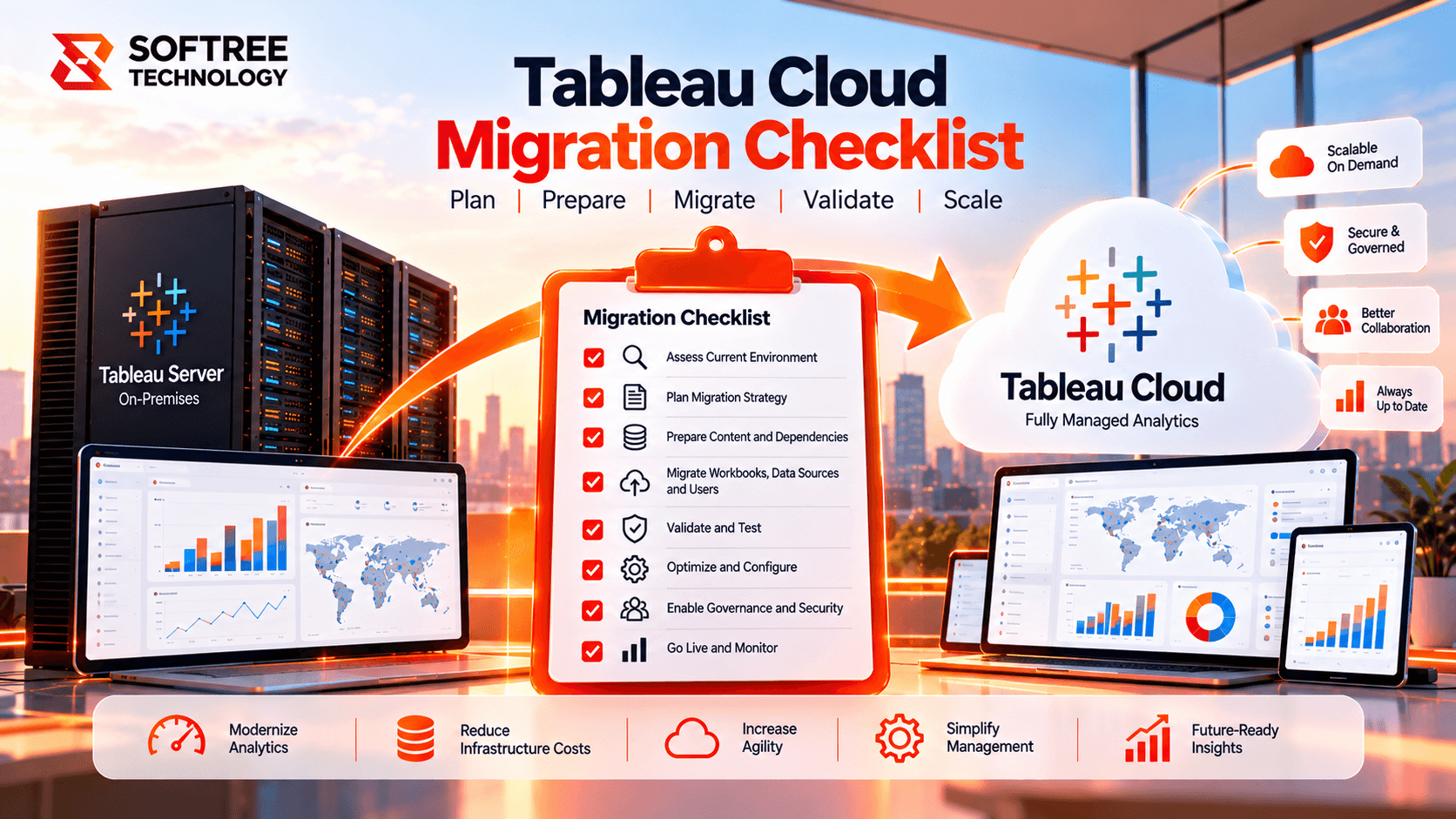
A complete Tableau Cloud migration checklist should cover:
- Tableau Server inventory
- Users, groups, and authentication
- Workbooks and dashboards
- Published data sources and Prep flows
- Data connectivity and Tableau Bridge
- Permissions and row-level security
- Embedded dashboards and integrations
- Refresh schedules and subscriptions
- Technical and business validation
- Production cutover and rollback
The goal is not simply to confirm that content exists in Tableau Cloud. The goal is to confirm that users can access the right content, data refreshes correctly, security remains intact, integrations work, and business teams can continue operating without disruption.
Assess Your Tableau Server Environment First
Before migrating content, build a complete inventory of the existing Tableau environment.
Identify all sites, projects, workbooks, published data sources, Prep flows, content owners, inactive content, users, groups, business-critical dashboards, dependencies, embedded dashboards, custom integrations, APIs, and automation.
This assessment answers one important question: Does everything actually need to move?
Migration is an opportunity to remove obsolete workbooks, duplicate data sources, inactive users, and unnecessary content instead of carrying the existing technical debt into Tableau Cloud.
Tableau also recommends cleaning up stale content before migration so organizations do not spend time moving content they no longer need.
Plan Identity and Authentication Before Migration
Authentication should not be left until the final cutover.
Review the existing identity provider, SSO or SAML configuration, users, groups, usernames, site roles, and provisioning process. Test both login and user deactivation before production migration.
Tableau's migration guidance also recommends establishing the authentication mechanism and data connectivity strategy during the planning stage.
Review Workbooks, Data Sources, and Prep Flows
Not every workbook should automatically be migrated.
For each production workbook, verify ownership, data-source dependencies, extract dependencies, custom SQL, parameters, dashboard actions, extensions, and embedded content.
For published and embedded data sources, review connection types, credentials, extracts, refresh schedules, and ownership. Tableau Prep flows should also be checked for input connections, output locations, schedules, and execution.
Tableau similarly recommends a full inventory and cleanup before migrating data sources, workbooks, and Prep flows.
Validate Data Connectivity and Tableau Bridge
Data connectivity is one of the highest-risk areas of a Tableau Cloud migration.
Cloud data sources such as Snowflake, Databricks, and other cloud databases should have their authentication, live connections, and extract refreshes tested. Private or on-premises sources require additional planning.
Where Tableau Cloud needs access to supported data behind a private network, Tableau Bridge may be required. Teams should validate network connectivity, credentials, refresh schedules, and failure or recovery scenarios before production.
Tableau's current migration guidance also recommends configuring Bridge where required and validating database connectivity before using migration tooling.
Validate Security and Permissions
A successful login does not mean the security model is correct.
Review project, workbook, and data-source permissions along with group membership, ownership, row-level security, restricted dashboards, external sharing, guest access requirements, and sensitive-data controls.
Testing should include different user types such as administrators, creators, explorers, viewers, business users, and restricted users.
Don't Forget Integrations
Migration issues can appear outside the Tableau workbook itself.
Review:
- Embedded dashboards
- Tableau URLs
- URL actions
- Dashboard extensions
- Webhooks
- REST API integrations
- Connected applications
- Subscription emails
- Data-driven alerts
- External portals
- Custom automation
For example, an embedded dashboard may work correctly in Tableau Cloud but fail inside another enterprise application if the application still references the old Tableau Server URL or authentication flow.
Tableau also identifies embedding, webhooks, URL actions, subscriptions, saved credentials, and other user-facing features that may require updates or recreation after migration.
Real-World Example: 500-User Tableau Migration
Consider an organization with 500 Tableau users, 700 workbooks, 80 published data sources, on-premises SQL Server, Snowflake, SSO, department-level row-level security, embedded dashboards, and daily extract refreshes. Tableau_Cloud_Migration_Checkli…
Migrating all 700 workbooks immediately would create unnecessary risk. A better approach is to select a representative pilot containing critical dashboards, different data sources, RLS scenarios, and embedded content.
The pilot exposes migration issues before production cutover and gives business users an opportunity to validate the new environment.
When Should You Use This Checklist?
Use a detailed checklist when moving from Tableau Server to Tableau Cloud, especially for large enterprise environments, multiple Tableau sites, complex authentication, private data sources, critical dashboards, or production cutovers. Tableau_Cloud_Migration_Checkli…
For highly customized integrations, complex legacy authentication, large-scale embedded analytics, regulatory requirements, or extensive API dependencies, a checklist alone may not be sufficient. A detailed migration runbook should be created alongside it. Tableau_Cloud_Migration_Checkli…
Production Readiness Checklist
Before go-live, confirm:
- Server inventory is complete.
- Content owners are identified.
- Unused content is removed or excluded.
- Users and groups are mapped.
- Authentication is tested.
- Workbooks and data sources are validated.
- Cloud and private data connections are tested.
- Bridge requirements are addressed.
- Permissions and RLS are validated.
- Embedded content and APIs are tested.
- Subscriptions and alerts are tested.
- Business owners have signed off.
- Production migration is complete.
- User access is validated.
- Refreshes are monitored.
- Critical dashboards are validated.
- Rollback plans are confirmed.
- Tableau Server remains available until validation is complete.
Key Takeaway
A successful Tableau Cloud migration is more than moving workbooks. Inventory the environment, rationalize content, design identity and connectivity early, validate security, test integrations, run a pilot, and keep Tableau Server available until business validation is complete.
Ready to Plan Your Tableau Cloud Migration?
Softree can help assess your Tableau Server environment, identify migration dependencies, design the target Tableau Cloud architecture, and create a production-ready migration plan covering content, data, identity, security, governance, and validation.
https://www.softreetechnology.com/