Introduction: Why Power Platform Governance Matters
Microsoft Power Platform enables organizations to build applications, automate workflows, create websites, and analyze data using tools such as Power Apps, Power Automate, Power Pages, and Copilot Studio.
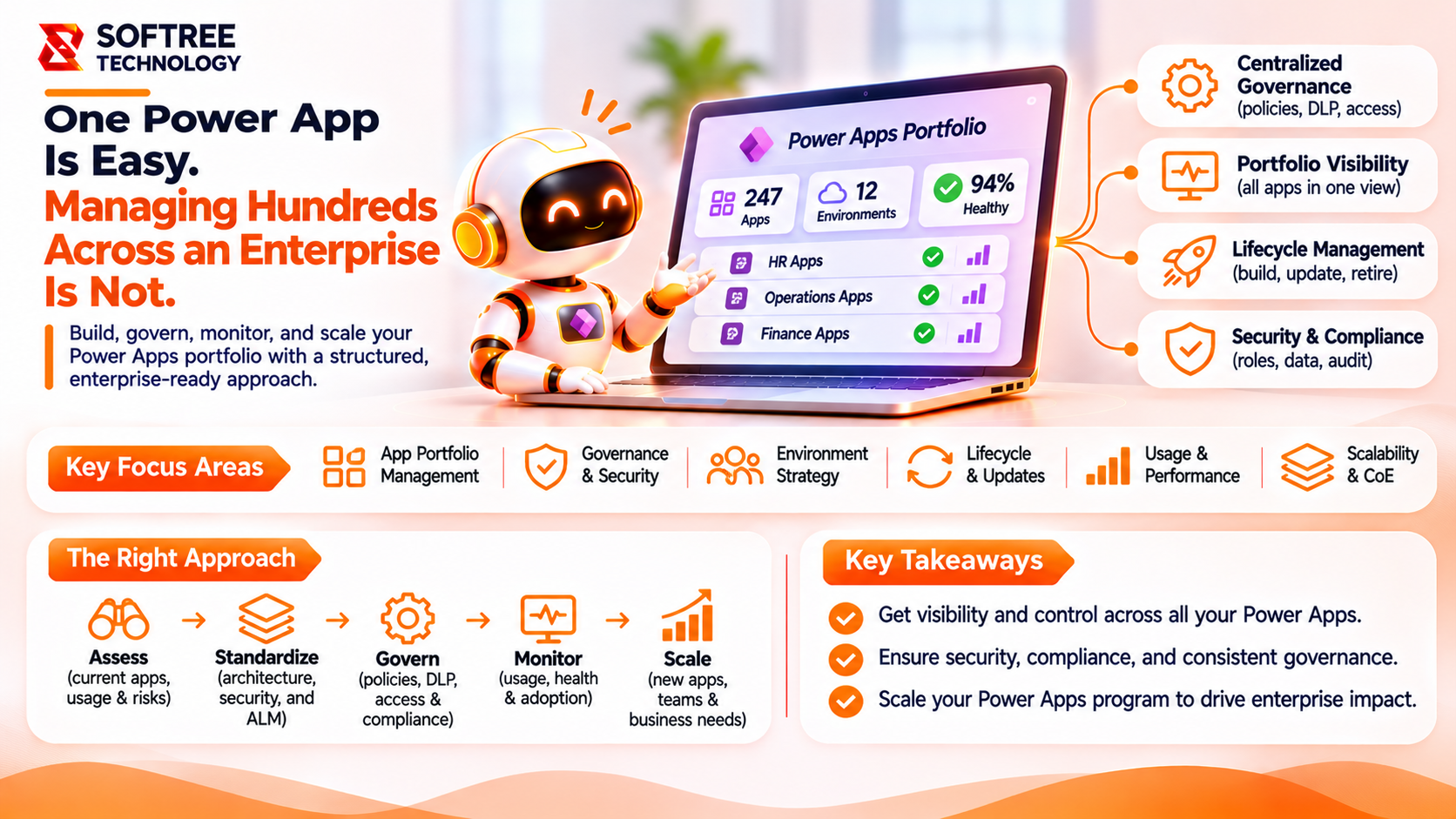
As adoption expands, managing hundreds of applications, workflows, connectors, environments, and makers becomes increasingly complex. Without proper governance, organizations may face application sprawl, inconsistent security, unclear ownership, and operational risks.
Power Platform governance establishes the policies, responsibilities, and controls needed to scale low-code development while maintaining security, visibility, and flexibility.
Key Takeaways
- Governance helps manage growing numbers of applications, workflows, and environments.
- Environment strategies and DLP policies strengthen security and control.
- Application Lifecycle Management (ALM) improves development and deployment practices.
- A Center of Excellence (CoE) supports adoption, collaboration, and governance.
- Regular monitoring and risk-based policies help maintain long-term sustainability.
What We Learned: Six Pillars of Enterprise Power Platform Governance
Managing Power Platform at enterprise scale requires more than tracking applications. Organizations need a structured framework covering development, security, deployment, ownership, and ongoing maintenance.
1. Define a Governance Strategy
Start by defining governance responsibilities and how decisions will be managed across IT, security, administrators, and business teams.
Organizations can adopt three operating models:
- Centralized: A central team manages policies, environments, and security.
- Federated: Departments manage applications within established enterprise guidelines.
- Hybrid: Central teams establish governance standards while departments retain operational flexibility.
2. Establish an Environment Management Strategy
Environments provide boundaries for managing applications, data, and permissions. A structured environment strategy helps separate workloads and reduce operational risks.
Common environment types include:
- Development: Building and modifying applications.
- Testing: Validating functionality and integrations.
- Production: Hosting approved business applications.
- Personal productivity: Supporting individual productivity activities.
- Departmental: Managing applications for specific business units.
Environment groups and rules can help administrators apply consistent settings across multiple environments.
3. Strengthen Security and Data Protection
Power Platform applications often connect to business-critical information across Microsoft 365, Dataverse, SQL Server, and other systems. Appropriate security controls help prevent unintended data exposure.
Important practices include:
- Implement Data Loss Prevention (DLP) policies.
- Classify connectors according to organizational requirements.
- Apply role-based access and permission controls.
- Manage application sharing and ownership.
- Review identity, authentication, and data access configurations.
Security controls should be proportionate to the application's business purpose and risk.
4. Implement Application Lifecycle Management (ALM)
Business-critical applications require consistent development, testing, deployment, and maintenance processes.
An effective ALM approach should include:
- Solution packaging and deployment standards.
- Development and testing procedures.
- Version control and documentation.
- Deployment approvals and release management.
- Rollback and recovery procedures.
- Application maintenance and retirement.
Managed solutions and appropriate source control practices can improve consistency between development, testing, and production environments.
5. Monitor Application Usage and Ownership
As adoption increases, administrators need visibility into application usage, ownership, environment distribution, and business importance.
A monitoring framework should track application and flow inventory, owners, connector usage, permissions, inactive resources, and lifecycle status.
Regular reviews help identify orphaned applications, duplicated functionality, and workloads that require additional support.
6. Establish a Power Platform Center of Excellence (CoE)
A Center of Excellence brings technical and business stakeholders together to coordinate platform adoption and governance.
Its responsibilities may include:
- Defining governance standards and reusable practices.
- Supporting maker onboarding and training.
- Providing templates and reusable components.
- Monitoring adoption and application inventory.
- Identifying governance gaps and operational risks.
- Encouraging collaboration between IT and business teams.
A CoE should enable makers to build responsibly rather than become an unnecessary approval layer.
Practical Considerations for Implementation
Before introducing governance controls, organizations should assess their existing environments, applications, connectors, and ownership records.
Consider the following practices:
- Define governance levels according to application risk.
- Establish environment creation and access request processes.
- Review connectors and data protection requirements.
- Document application ownership and support responsibilities.
- Provide makers with training and development standards.
- Automate application discovery and inventory reporting.
- Review governance policies as business requirements evolve.
Starting with an assessment helps organizations prioritize improvements instead of introducing every control at once.
Business Benefits of a Governance-First Approach
A well-designed governance framework helps organizations scale Power Platform more sustainably.
- Controlled adoption: Enables departments to innovate within defined enterprise guidelines.
- Improved security: Consistent access controls and DLP policies help protect organizational data.
- Reduced complexity: Standardized development and deployment practices simplify maintenance.
- Better visibility: Centralized monitoring provides insight into application usage, ownership, and risks.
- Sustainable management: Clear ownership and lifecycle practices reduce dependency on individual makers.
- Faster innovation: Reusable components and defined processes reduce development uncertainty.
Common Governance Challenges
Governance can become ineffective when policies are too restrictive, ownership is unclear, or monitoring relies entirely on manual processes.
For example, applying the same approval requirements to a small departmental application and a business-critical application can create unnecessary delays.
Organizations should adopt risk-based controls, define clear responsibilities, automate routine administration, and review policies regularly. Governance should be treated as an ongoing operating practice rather than a one-time implementation project.
Next Steps: Build a Scalable Power Platform Governance Model
Scaling Microsoft Power Platform requires a framework that connects strategy, environment management, security, application lifecycle management, monitoring, and maker enablement.
Organizations planning to expand Power Apps, Power Automate, Power Pages, or Copilot Studio should assess their current adoption, identify governance gaps, and establish an operating model that balances business flexibility with enterprise control.
Softree Technology helps organizations plan, implement, and scale Power Platform through governance strategy, environment design, security practices, Center of Excellence enablement, and application lifecycle management.
Looking to scale Power Platform across your organization? Explore Softree's Power Platform development services and discuss how a structured governance approach can support secure and sustainable low-code adoption.