Introduction
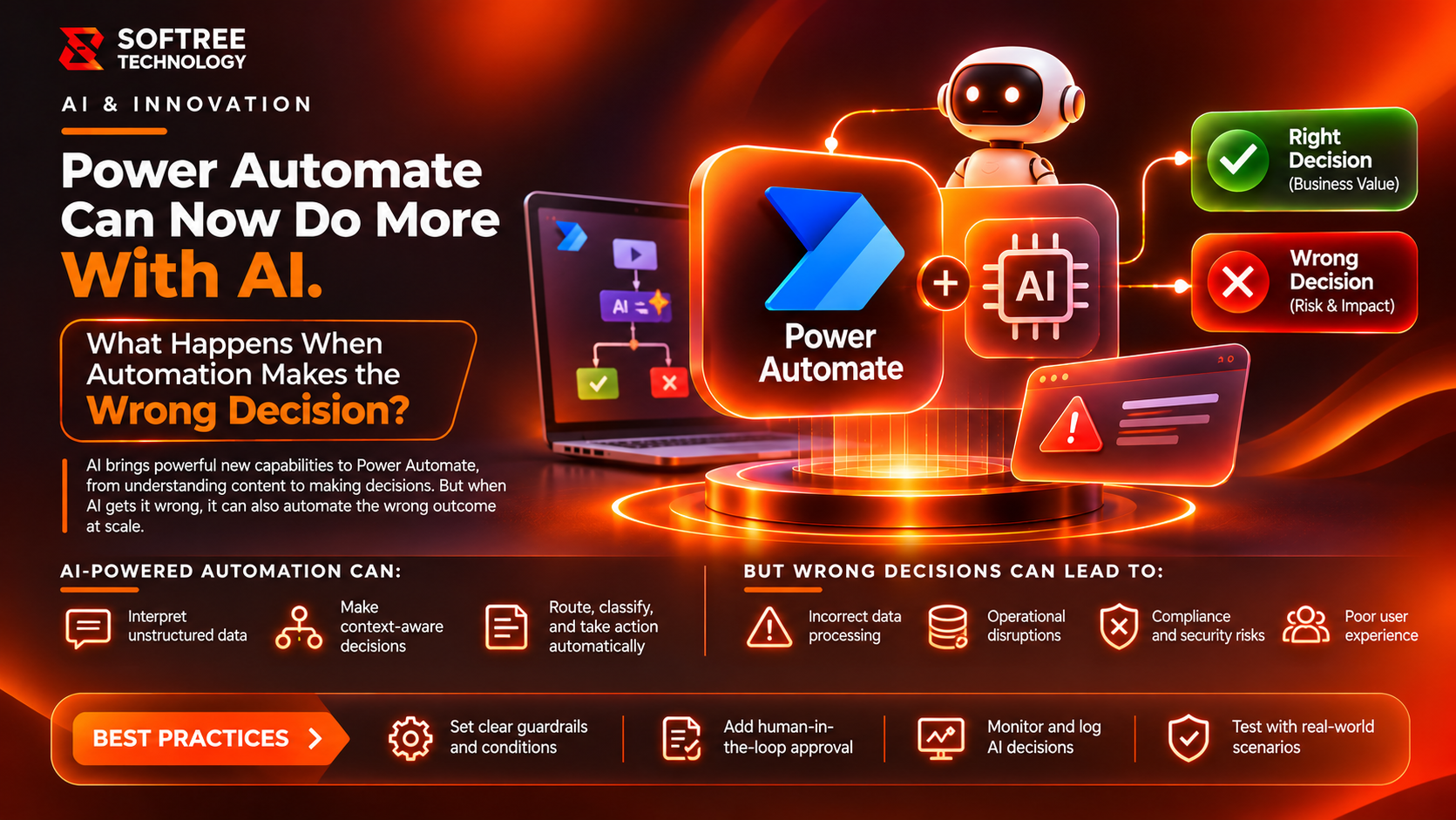
AI is changing how Power Automate handles business processes. Workflows can now interpret documents, classify requests, summarize information, and support decisions that previously required manual effort. But what happens when AI gets something wrong?
An incorrect extraction or recommendation can quickly become a wrong business action. The solution is not to avoid intelligent automation—it is to build workflows with validation, permissions, and human oversight.
Key Takeaways
Power Automate AI expands automation beyond fixed conditions by interpreting documents, classifying information, and supporting decisions. However, AI-generated outputs should not automatically be treated as verified data. Reliable workflows combine AI processing with explicit business rules, validation, appropriate permissions, human approval, exception handling, and monitoring.
Article Content
What Is AI-Powered Power Automate?
AI-powered Power Automate combines traditional workflow automation with AI capabilities such as document extraction, classification, content generation, and agent-driven actions.
Instead of following only fixed conditions, a workflow can interpret incoming information and use the result to determine the next step.
For example, AI can extract invoice details, while Power Automate validates the amount, checks business rules, and routes the invoice for approval.
The important distinction is that AI interprets information, while business rules and authorized people control consequential actions.
How AI-Powered Power Automate Works
A typical AI-assisted workflow has five stages:
- Trigger: A new document, email, or business event starts the flow.
- AI Processing: AI extracts, classifies, or summarizes information.
- Validation: The workflow checks the output against required fields and business rules.
- Decision: The flow continues automatically or requests human approval.
- Execution: An authorized action is completed and recorded.
This structure separates AI interpretation from business authorization and execution.
Real-World Example: AI-Assisted Invoice Processing
Imagine a finance team receiving hundreds of supplier invoices every week. Manual extraction takes time, but fully automatic processing creates financial risk if AI misreads an amount or supplier detail.
A controlled Power Automate implementation could work like this:
- A new invoice arrives.
- AI extracts invoice details.
- The workflow checks supplier information and invoice amount.
- Payment rules are applied.
- Valid invoices proceed through the approval process.
- Mismatches or unusual amounts are routed to finance review.
- The authorized result updates the finance system.
AI handles repetitive extraction. Validation checks the supplier, invoice number, and payment amount. Unusual transactions go to finance staff rather than proceeding automatically.
The objective is not simply faster processing. It is faster processing with controls that prevent an uncertain AI result from becoming an unchecked financial action.
When to Use AI Automation—and When Not To
AI is useful when:
- Incoming documents contain inconsistent layouts or unstructured information.
- Customer messages need classification or summarization.
- Employees spend time extracting information from emails and forms.
- Workflows need contextual interpretation before applying established rules.
Avoid relying on AI alone when:
- A transaction requires strict financial authorization.
- A decision has legal, regulatory, or significant employee impact.
- The process already follows simple, predictable rules.
- Incorrect outputs could trigger irreversible actions.
For high-impact processes, combine AI with deterministic validation and human approval.
Recommended Production Architecture
A production workflow should separate AI interpretation from authorization and execution.
A practical architecture includes:
- Source Systems: Email, SharePoint, ERP, and business applications.
- Power Automate: Workflow orchestration.
- AI Service: AI Builder or prompt-based processing.
- Validation Layer: Schema checks, business rules, and limits.
- Governance Layer: Permissions and approval controls.
- Business System: Authorized updates.
- Monitoring Layer: Logs, alerts, and exception tracking.
Keep connector permissions limited, store appropriate execution records, and provide an exception route whenever AI output is incomplete, inconsistent, or outside approved limits.
Production Checklist
Before deploying AI-powered Power Automate workflows:
- Define exactly what the AI component is allowed to do.
- Validate generated outputs before using them.
- Enforce critical business rules outside AI prompts.
- Add human approval for sensitive actions.
- Apply least-privilege connector permissions.
- Create exception paths for uncertain results.
- Monitor failures, unusual outputs, and repeated exceptions.
- Record AI outputs, validation results, and final actions.
- Test incorrect, incomplete, and unexpected inputs.
- Assign ownership for incidents and workflow maintenance.
What We Learned
Reliable AI automation depends on separating interpretation from execution.
Practical lessons include:
- AI-generated information should not automatically be treated as verified data.
- Business rules must remain explicit and independently enforceable.
- Human approval is essential for high-impact decisions.
- Connector permissions should be restricted to required operations.
- Monitoring and exception handling should be included in the initial architecture.
- Simple, predictable processes often work better with conventional triggers and conditions.
The most effective workflow is not necessarily the one with the most AI. It is the one that applies AI where interpretation adds value and maintains control over business actions.
Next Steps
Organizations introducing AI into Power Automate should start with a clearly defined business workflow.
Identify where AI interpretation can reduce manual effort, establish validation rules, define approval requirements, and test how the workflow handles incorrect or incomplete outputs.
Softree Technology helps organizations design Power Platform solutions, integrate AI into business processes, and establish automation architectures that support security, governance, and operational reliability.
Planning to introduce AI into your Power Automate workflows? Visit Softree Technology to discuss your automation and modernization requirements.
https://www.softreetechnology.com/