Introduction
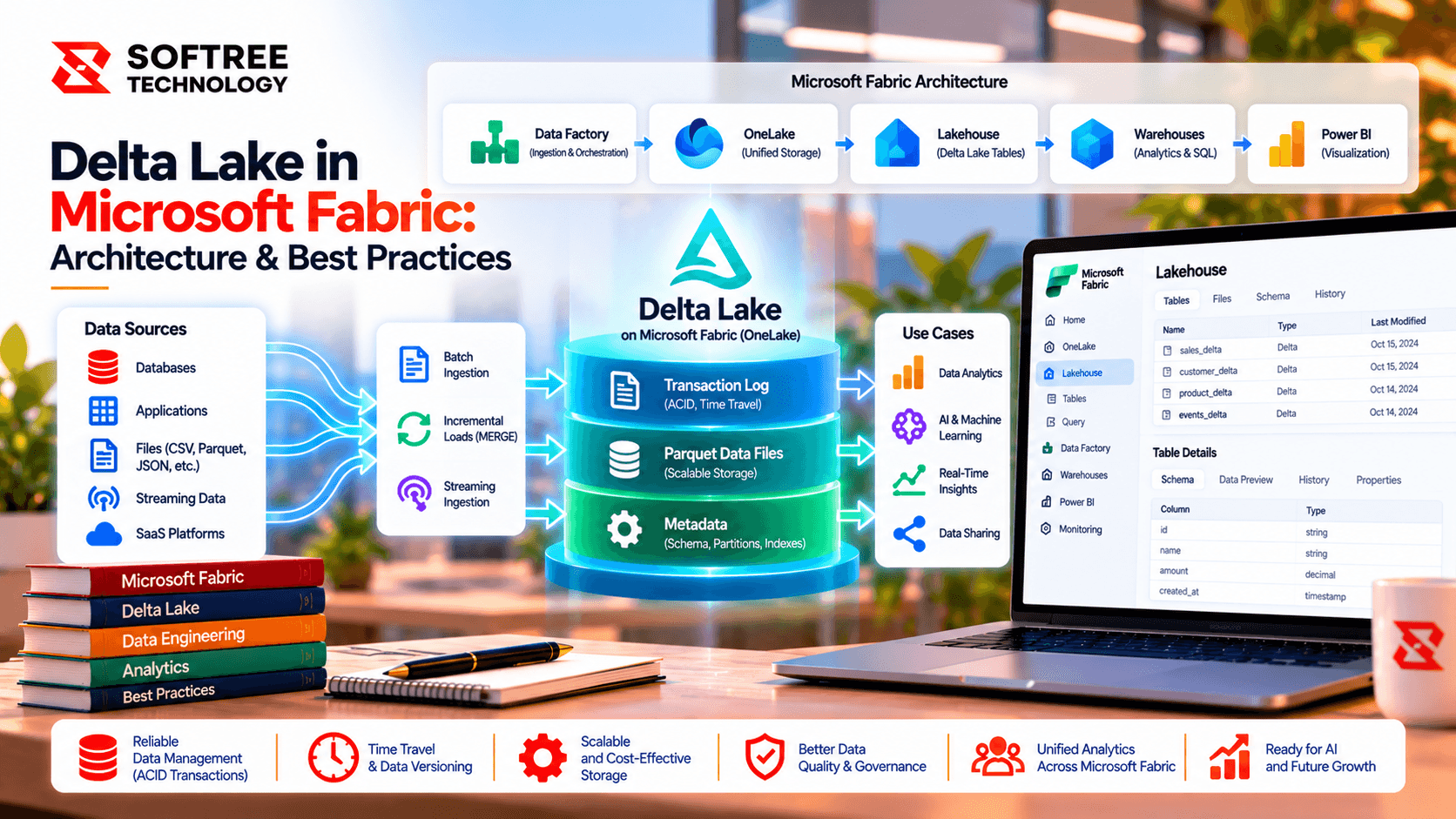
Reloading an entire dataset every time new data arrives can increase processing time, source-system load, and unnecessary data movement. Incremental data loading in Microsoft Fabric addresses this by processing only records that are new or changed since the last successful run.
Fabric pipelines can use a watermark, change tracking, or change data capture (CDC) to identify the required change set and load it into OneLake, a Lakehouse, or Warehouse. The key is to design the process so retries, deletes, late updates, and validation are handled safely.
Key Takeaways
Incremental loading is most effective when the source provides a reliable change signal and the pipeline maintains recoverable state. A production-ready design should validate the incoming batch, apply changes idempotently, and advance the watermark only after the target data has passed validation.
- Use a reliable watermark or CDC/change-tracking mechanism.
- Capture the extraction upper bound once per run.
- Stage each batch before applying changes.
- Use stable business keys for MERGE/upsert operations.
- Handle deletes explicitly.
- Keep the previous watermark when a run fails.
- Validate data quality before committing state.
- Monitor pipeline execution and data quality separately.
What We Learned
Why Incremental Loading Matters
Suppose an operational database contains millions of orders, but only a small percentage changes each day. A full load scans and rewrites the entire dataset even though most records are unchanged.
Incremental loading limits processing to the relevant change set. This can reduce unnecessary source queries, network transfer, compute usage, and pipeline duration.
Choose the Right Incremental Pattern
The right approach depends on how the source exposes changes.
- Watermark: Best when a dependable
ModifiedAttimestamp or increasing ID exists. - CDC / Change Tracking: Better when inserts, updates, and deletes must be captured from a supported change feed.
- Partition-based processing: Useful for large datasets naturally divided by dates or other partitions.
- Full load: Still appropriate for small tables, snapshots, or sources without a trustworthy change signal.
A watermark alone may not detect hard deletes because the deleted row no longer exists in the source query. In those cases, use CDC, change tracking, soft-delete flags, or periodic reconciliation.
How a Watermark Pipeline Works
A reliable watermark pattern can follow six steps:
- Read state: Retrieve the last successful watermark from a control table.
- Extract: Query records between the previous watermark and a captured upper bound.
- Land: Store the batch in a staging area within OneLake or a Lakehouse.
- Apply: MERGE or upsert records using a stable business key.
- Validate: Check counts, duplicates, null keys, and source-to-target reconciliation.
- Commit state: Advance the watermark only after the target update and validation succeed.
Capturing the upper bound at the beginning of the run prevents the extraction window from changing while the pipeline is executing. For timestamp-based loads, an overlap window combined with deduplication can also help handle late-arriving changes and timestamp ties.
Real-World Technical Example
Consider a retailer with 8 million order records in an operational SQL database. Around 45,000 records are inserted or updated each day.
Instead of reloading all 8 million rows, a Fabric pipeline can use ModifiedAt as the watermark, store its state per source table, extract the bounded daily change set, and merge records into a Lakehouse Delta table using OrderID as the business key.
This design should also define how deletes are captured, how failed batches are replayed, and how unusual volumes or validation failures are detected.
Make Retries Safe
A failed incremental load should not force the pipeline to guess where processing stopped.
Keep the previous watermark until the target application and validation have succeeded. Store batch metadata such as run ID, extraction boundaries, and load timestamp. If the pipeline fails, the same bounded batch should be safe to replay without creating duplicates.
Keep Pipeline Loading Separate from Incremental Refresh
Incremental ingestion and Power BI semantic-model incremental refresh address different layers.
Incremental ingestion determines which source records are loaded into the data platform. Incremental refresh determines which semantic-model partitions are processed. They can work together, but their boundaries and schedules should be designed independently so reports do not query incomplete upstream data.
Production Best Practices
For production workloads, Softree recommends designing incremental pipelines around:
- Metadata-driven orchestration
- Per-table watermark state
- Reusable parameterized pipelines
- Staging and batch identifiers
- Idempotent MERGE/upsert logic
- Explicit delete strategies
- Late-arriving data handling
- Data-quality validation
- Source-side filtering
- Controlled concurrency
- Run-level monitoring and alerts
- Least-privilege security
- Dev, test, and production deployment separation
Next Steps
Start by identifying the tables that are large, frequently updated, or expensive to reload. Determine whether each source supports a reliable watermark, CDC, change tracking, or partition-based processing.
Softree can help design Microsoft Fabric incremental data pipelines with metadata-driven orchestration, watermark management, Lakehouse ingestion, validation, recovery, monitoring, and production-ready data quality controls.
For implementation planning, use the Microsoft Fabric Incremental Load Production Checklist to review source readiness, watermark safety, idempotency, quality, recovery, operations, and security before deployment.
https://www.softreetechnology.com/services/microsoft-fabric-development-services