Introduction
Migrating from Azure Synapse Analytics to Microsoft Fabric is not simply a matter of moving data and recreating pipelines. Existing Azure environments may include ADLS Gen2, Azure Data Factory, Synapse SQL, Spark workloads, Power BI reports, semantic models, security rules, and complex dependencies.
A successful migration needs to protect reporting continuity while improving the way data is stored, processed, governed, and consumed. Softree approaches Synapse-to-Fabric modernization by assessing workloads first, selecting the right Fabric destination, validating results, and moving workloads in controlled phases.
Key Takeaways
The right migration strategy is workload-led rather than a one-to-one replacement of Azure services. Some Synapse workloads may fit Fabric Warehouse, others may be better suited to a Lakehouse, while some capabilities may need to remain in Azure or be redesigned.
Key points include:
- Assess Synapse SQL, Spark, pipelines, data, and dependencies before migration.
- Choose Lakehouse, Warehouse, or a hybrid architecture based on workload requirements.
- Validate SQL compatibility instead of assuming feature parity.
- Migrate Azure Data Factory pipelines with dependency and operational checks.
- Preserve Power BI measures, security, refresh behavior, and user experience.
- Establish data reconciliation and performance baselines before cutover.
- Use phased migration waves with rollback and hypercare plans.
What We Learned
1. Start With Workload Assessment
Before moving anything, create an inventory of pipelines, SQL objects, datasets, reports, semantic models, refresh schedules, dependencies, owners, and business criticality.
Softree recommends classifying workloads by factors such as technical complexity, data characteristics, performance requirements, security requirements, and business criticality. This creates a migration backlog and helps determine which workloads should be migrated, refactored, retained, replaced, or retired.
2. Choose the Right Fabric Destination
Microsoft Fabric brings data integration, engineering, storage, analytics, and Power BI into a shared platform. However, Fabric should not be treated as a direct replacement for every Synapse capability.
A typical target architecture may use:
- OneLake for the shared logical data foundation
- Fabric Data Factory for supported ingestion and orchestration
- Lakehouse for lake-oriented engineering and Spark workloads
- Fabric Warehouse for SQL-first analytical serving
- Semantic Models + Power BI for governed reporting
- Microsoft Purview and Fabric governance capabilities for lineage and data management
The final architecture should be selected according to workload characteristics, compatibility, performance, security, and governance requirements.
3. Refactor Synapse SQL Carefully
Synapse SQL workloads can include dedicated SQL pools, serverless SQL, stored procedures, external tables, views, and custom SQL logic. These components may not have direct equivalents in Fabric.
The migration process should include:
- Inventory SQL objects and dependencies.
- Review T-SQL compatibility.
- Select Warehouse, Lakehouse, or a hybrid destination.
- Convert schemas and data types.
- Refactor unsupported or inefficient SQL.
- Test business calculations and edge cases.
- Validate query performance and concurrency.
- Document accepted differences before production.
4. Modernize Azure Data Factory Pipelines
ADF pipelines can contain connectors, triggers, parameters, integration runtimes, linked services, secrets, retry logic, and downstream dependencies. These should be reviewed individually rather than migrated blindly.
Softree's recommended process is to classify each pipeline component as migrate, refactor, replace, retain temporarily, or retire, then test success, failure, retry, timeout, duplicate-run, partial-load, and restart scenarios.
5. Protect Power BI Continuity
Power BI migration should be considered complete only when users can access the correct reports with equivalent measures, security, refresh behavior, and acceptable performance.
The migration should validate:
- Semantic model relationships and measures
- DAX calculations
- Row-level and object-level security
- Refresh schedules
- Gateway dependencies
- Report and dashboard connectivity
- User access and experience
- Downstream report dependencies
Recommended Migration Approach
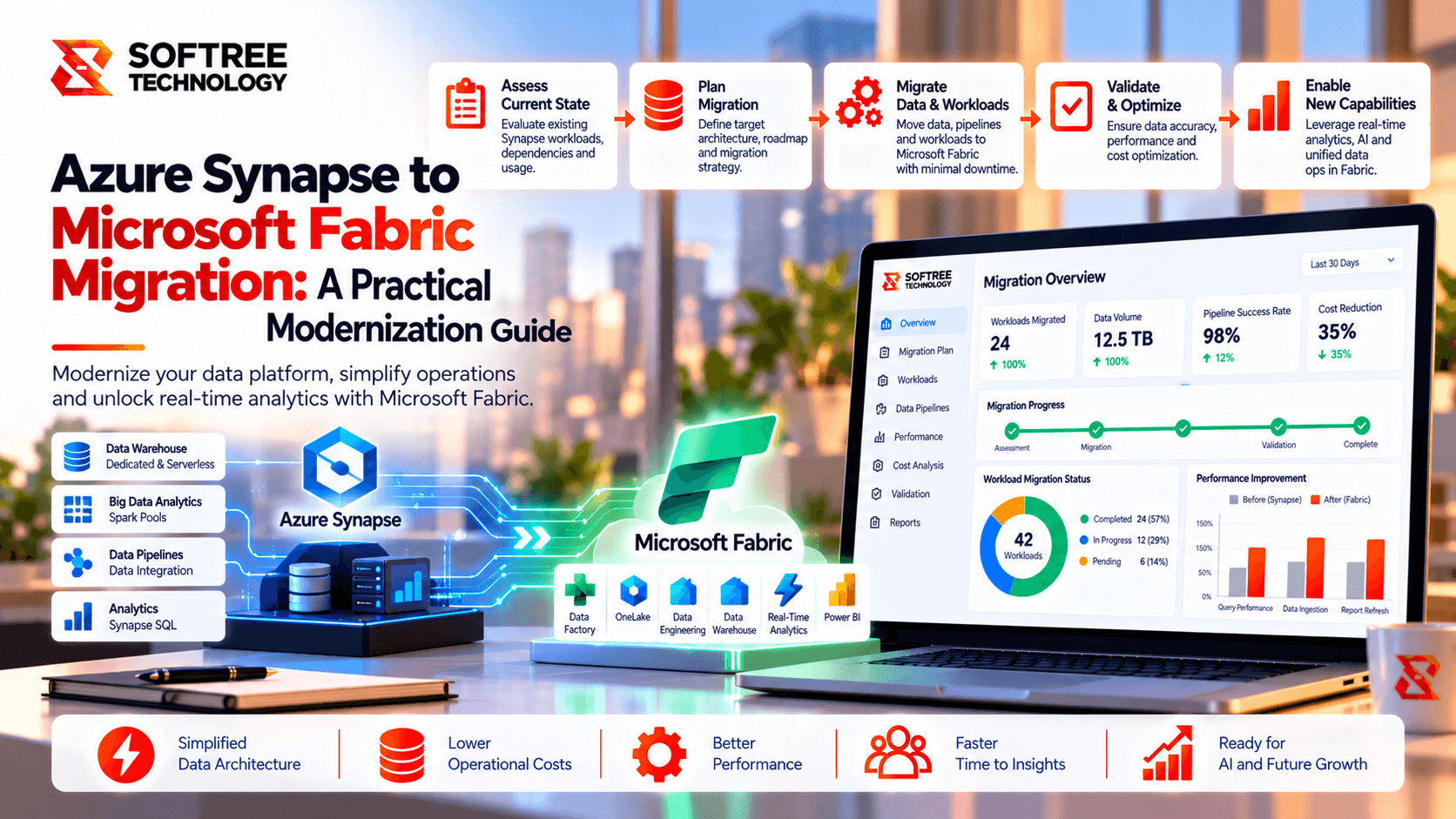
Softree recommends a phased approach:
- Mobilize — Confirm scope, stakeholders, access, capacity, risks, and success measures.
- Assess — Inventory workloads, dependencies, complexity, performance, and security requirements.
- Design — Define Fabric architecture, OneLake strategy, workspace structure, security, and monitoring.
- Pilot — Migrate a representative lower-risk workload and refine the migration pattern.
- Migrate by Wave — Move data, pipelines, SQL workloads, semantic models, and reports in dependency-aware batches.
- Cut Over — Synchronize final changes, switch consumers, monitor production, and retain rollback readiness.
- Optimize and Retire — Tune workloads and decommission redundant Azure components after agreed validation and retention periods.
Next Steps
Organizations planning a Synapse-to-Fabric migration should begin with a workload and dependency assessment rather than immediately rebuilding existing components.
Softree can help assess the existing Azure data estate, define a workload-specific Microsoft Fabric architecture, migrate and refactor Synapse and ADF workloads, validate Power BI continuity, and establish a controlled production cutover.
https://www.softreetechnology.com/services/microsoft-fabric-development-services