Introduction
Your website is often the first interaction customers have with your business. Yet many organizations struggle with an important question: Should we redesign our website or modernize it?
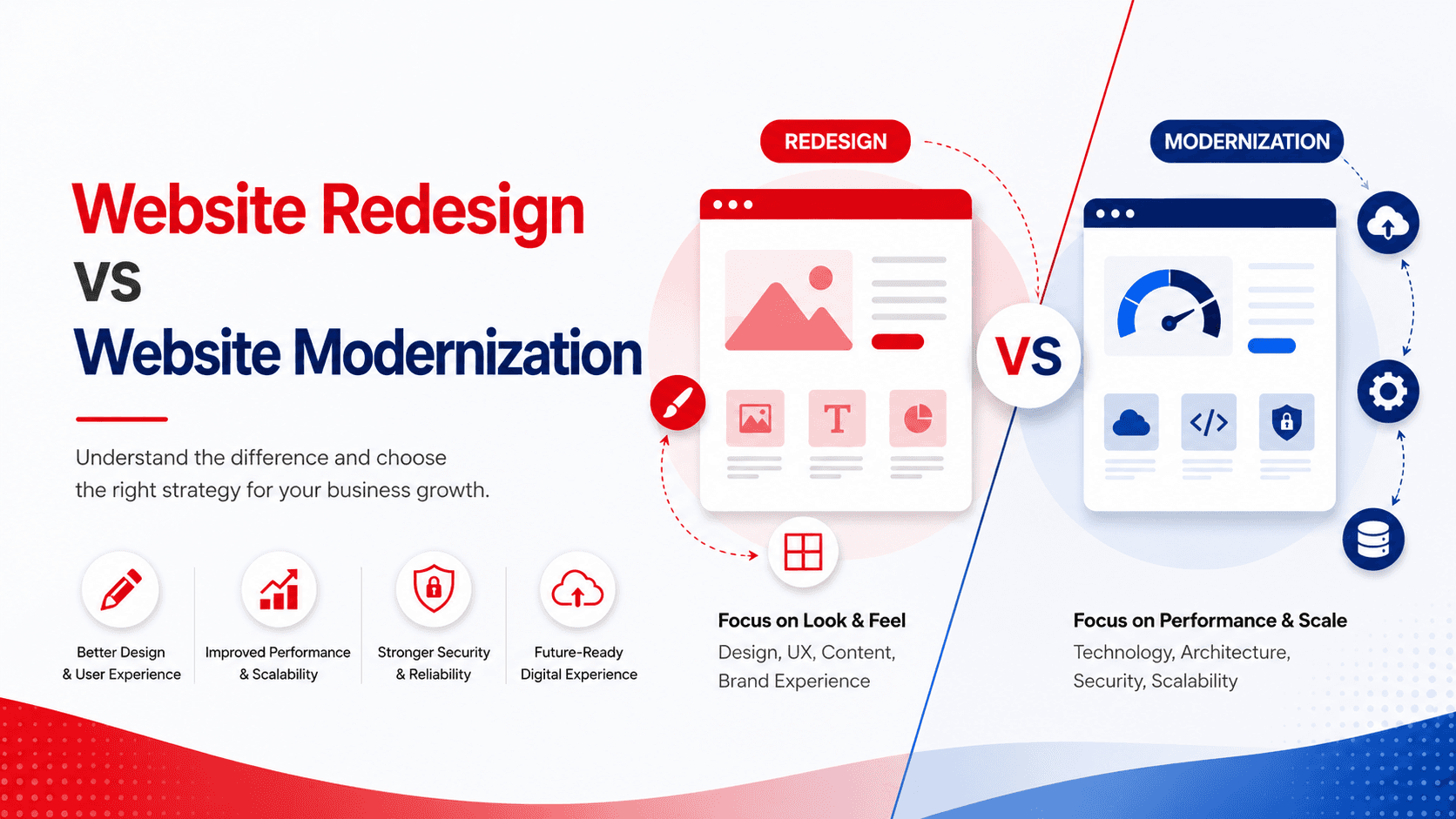
While both approaches aim to improve digital experiences, they solve different problems. A redesign focuses on improving appearance and usability, while modernization addresses the underlying technology, performance, security, and scalability.
In this article, you'll learn the key differences between website redesign and website modernization, when each approach makes sense, and how to determine the best path for your organization.
Quick Answer
- Website Redesign focuses on visual design, user experience, branding, and content structure.
- Website Modernization focuses on technology upgrades, performance improvements, security, scalability, and integrations.
- If your site looks outdated but functions well, choose a redesign.
- If your technology is limiting growth, choose modernization.
- Many businesses benefit from combining both strategies.
Table of Contents
- What is Website Redesign and Modernization?
- Why Are They Important?
- How Do They Work?
- Key Features and Components
- Benefits
- Common Use Cases
- Best Practices
- Common Mistakes to Avoid
- Comparison Table
- Frequently Asked Questions
- Key Takeaways
- Conclusion
What is Website Redesign vs Website Modernization?
Definition
Website Redesign is the process of updating a website's visual appearance, user experience (UX), navigation, and branding.
Website Modernization is the process of upgrading the underlying technology, architecture, infrastructure, and integrations that power the website.
Overview
A redesign changes how users experience your website. Modernization changes how the website operates behind the scenes.
Context
Many organizations initially invest in redesigns to improve aesthetics but later realize they need modernization to support scalability, performance, security, and future digital initiatives.
Why is Website Redesign and Modernization Important?
Business Impact
A modern website can improve customer engagement, lead generation, conversions, and operational efficiency.
Challenges Solved
- Poor user experience
- Outdated branding
- Slow performance
- Security vulnerabilities
- Limited scalability
- Difficult integrations
Benefits
- Better customer experiences
- Increased conversion rates
- Improved search engine visibility
- Lower maintenance costs
- Greater flexibility for future growth
How Does Website Modernization Work?
Step 1: Website Assessment
Analyze the current website's design, technology stack, performance, SEO, security, and user experience.
Step 2: Strategy Development
Identify business goals and determine whether redesign, modernization, or a combination of both is required.
Step 3: Implementation
Execute design improvements, technology upgrades, migration activities, testing, and deployment.
Diagram / Visual
Current Website
↓
Assessment & Audit
↓
Strategy & Planning
↓
Redesign / Modernization
↓
Testing & Optimization
↓
Launch & Continuous Improvement
Key Features / Components
Feature 1: User Experience (UX) Improvements
- Improved navigation
- Better accessibility
- Mobile-first design
- Optimized conversion paths
Feature 2: Technology Modernization
- CMS upgrades
- Headless architecture
- Cloud migration
- API integrations
Feature 3: Performance & Security Enhancements
- Faster page loading
- Enhanced cybersecurity
- Compliance readiness
- Improved reliability
Benefits of Website Modernization
Benefit 1: Improved Performance
Modern frameworks and infrastructure deliver faster page loads and better user experiences.
Benefit 2: Enhanced Scalability
Support growing traffic, content, and business requirements without major redevelopment.
Benefit 3: Future-Ready Architecture
Enable AI integrations, personalization, automation, and omnichannel experiences.
Common Use Cases
Use Case 1: Rebranding Initiative
A company updates its visual identity and redesigns its website to reflect its new brand.
Use Case 2: Legacy Platform Migration
An organization migrates from an outdated CMS to a modern, scalable platform.
Use Case 3: Digital Transformation
A business combines redesign and modernization to support new digital products and customer experiences.
Best Practices
Practice 1
Start with business goals rather than technology decisions.
Practice 2
Conduct a complete website audit before initiating changes.
Practice 3
Prioritize performance, accessibility, and SEO from the beginning.
Common Mistakes to Avoid
Mistake 1
Focusing only on visual design while ignoring underlying technical issues.
Mistake 2
Migrating platforms without a clear content strategy.
Mistake 3
Failing to test performance, security, and user experience before launch.
Key Takeaways
- Website redesign improves visual appearance and user experience.
- Website modernization upgrades technology, performance, and scalability.
- Both approaches address different business challenges.
- Many organizations achieve the best results by combining redesign and modernization efforts.
Conclusion
Website redesign and website modernization are often confused, but they serve distinct purposes. A redesign helps create a better user experience and stronger brand presence, while modernization ensures the technology foundation can support future business growth.
Before investing in either approach, assess your website's current challenges, business goals, and technical limitations. In many cases, a combined strategy delivers the greatest value—providing a website that not only looks modern but also performs, scales, and evolves with your business.