Introduction
Migrating SQL Server workloads to Microsoft Fabric is more than moving databases and tables. Organizations also need to consider schemas, stored procedures, applications, integrations, security, performance, and reporting dependencies.
A successful migration starts with understanding the existing workload and selecting the right Fabric destination. Operational relational workloads may fit SQL database in Fabric, while analytical and data warehousing workloads may be better suited to Fabric Warehouse.
Key Takeaways
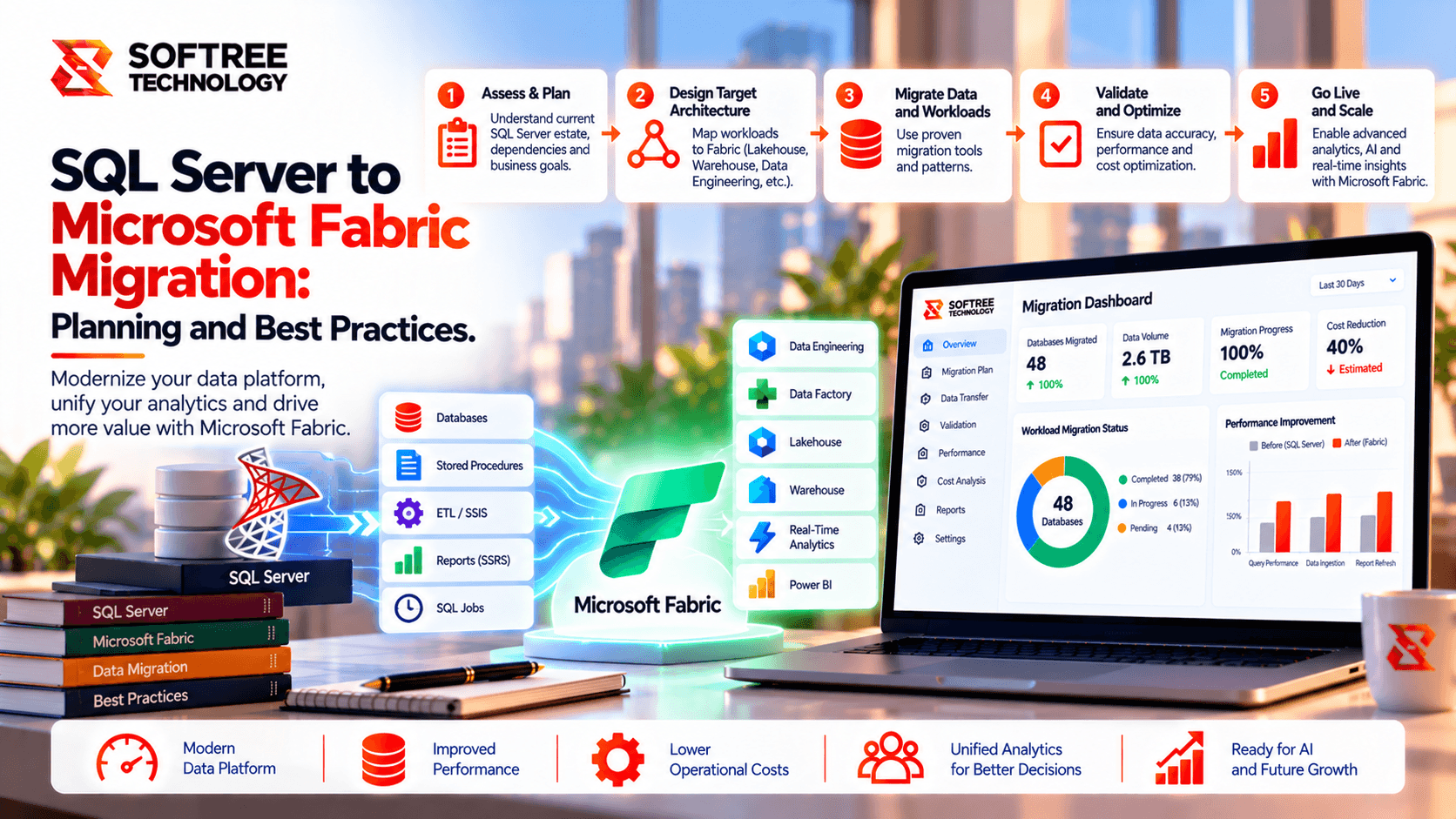
A structured migration approach helps organizations move from assessment to production without treating database migration as a simple copy exercise. The recommended flow is assess, choose, prepare, migrate, validate, and optimize.
- Inventory databases, dependencies, stored procedures, and applications.
- Choose the Fabric destination according to workload requirements.
- Validate SQL and schema compatibility before migration.
- Review security, connectivity, and capacity requirements.
- Reconcile data and test critical queries after migration.
- Validate dependent applications and reporting workloads.
- Use a pilot and controlled production cutover.
What We Learned
Assess the Existing SQL Server Environment
Start by documenting databases, tables, schemas, stored procedures, applications, reports, integrations, dependencies, and business-critical workloads.
This assessment helps identify what can move directly, what requires modification, and what may need redesign. Migration should begin with workload discovery rather than data copying.
Choose the Right Fabric Destination
The target architecture should follow the workload.
SQL database in Fabric can be considered when:
- The workload requires a relational database experience.
- Applications depend on operational database capabilities.
- The workload fits supported SQL database capabilities.
- The organization wants operational data closer to Fabric analytics.
Fabric Warehouse can be considered when:
- The primary requirement is analytical reporting.
- An existing data warehouse is being modernized.
- Workloads involve analytical queries across business domains.
- The organization wants to integrate warehouse data with Fabric analytics.
Validate Compatibility Before Migration
SQL Server workloads can contain stored procedures, queries, indexes, data types, and other database objects that require compatibility assessment.
Before committing to a migration method:
- Review schemas, keys, indexes, and data types.
- Check stored procedures and T-SQL compatibility.
- Identify required code changes.
- Test critical queries.
- Document unsupported or modified objects.
- Validate application dependencies.
Move Data in a Controlled Way
Once the target architecture is defined, use a supported migration method appropriate to the source and destination.
For SQL database in Fabric, the documented Migration Assistant workflow can import schema metadata from a DACPAC, identify compatibility issues, and use Fabric Data Factory copy jobs for data movement. On-premises SQL Server scenarios require the appropriate gateway and gateway-enabled Fabric SQL connection for this workflow.
Validate Data and Business Workloads
Migration is not complete when the data copy finishes. The destination needs to be tested against the source and business requirements.
Validation should include:
- Row-count reconciliation
- Business-total reconciliation
- Application queries
- Stored procedures and critical SQL logic
- User permissions
- Security rules
- Integrations
- Performance against agreed requirements
For example, when migrating a sales database, teams can compare order totals and customer counts between SQL Server and Fabric while testing application queries and authorized-user access.
Use a Phased Migration Strategy
A pilot migration can expose compatibility and operational issues before larger workloads are moved.
A practical sequence is:
Assess → Choose → Prepare → Pilot → Migrate → Validate → Cut Over → Optimize
Keep the source environment available until production acceptance criteria are met and a rollback plan is established.
Next Steps
Before starting a SQL Server to Microsoft Fabric migration, assess the current database environment, map dependencies, select the appropriate Fabric destination, and define measurable validation and cutover criteria.
Softree Technology can help organizations assess SQL Server environments, design Microsoft Fabric architectures, modernize data workloads, and validate migrations for production readiness.
https://www.softreetechnology.com/


