Introduction
Organizations today are under constant pressure to improve efficiency, reduce operational costs, and provide better employee experiences. However, many enterprises still rely on legacy SharePoint environments that contain outdated forms, manual workflows, and unsupported technologies such as InfoPath and SharePoint Designer.
These legacy systems create bottlenecks, increase maintenance costs, and limit business agility.
In this article, you’ll learn:
- What SharePoint with Power Apps modernization is
- Why organizations are investing in modernization initiatives
- How the modernization process works
- Key business benefits and enterprise use cases
- Best practices and common mistakes to avoid
- How Softree Technology can help accelerate your transformation journey
Quick Answer
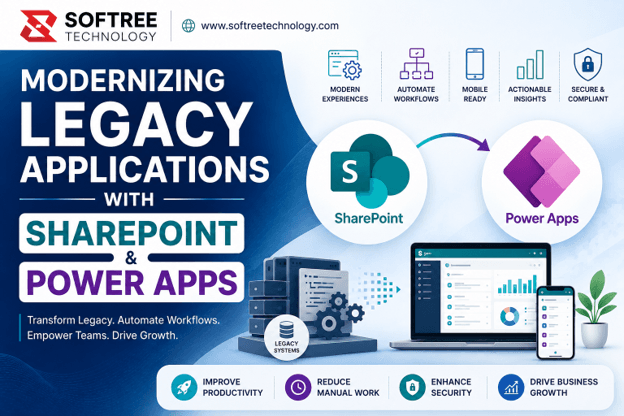
SharePoint with Power Apps modernization is the process of upgrading legacy SharePoint applications, forms, and workflows using Microsoft Power Platform technologies such as Power Apps, Power Automate, and Power BI. This modernization improves user experience, automates business processes, reduces operational costs, and prepares organizations for AI-powered digital transformation.
Table of Contents
- What is SharePoint with Power Apps Modernization?
- Why is SharePoint Modernization Important?
- How Does SharePoint Modernization Work?
- Key Features and Components
- Benefits of SharePoint with Power Apps Modernization
- Common Enterprise Use Cases
- Best Practices
- Common Mistakes to Avoid
- SharePoint Modernization Comparison
- Frequently Asked Questions
- Key Takeaways
- Conclusion
What is SharePoint with Power Apps Modernization?
SharePoint with Power Apps modernization is the process of transforming traditional SharePoint environments into modern digital workplaces using Microsoft’s low-code development platform.
Instead of relying on legacy technologies such as:
- InfoPath Forms
- SharePoint Designer Workflows
- Custom Scripts
- Classic SharePoint Pages
Organizations can build scalable, responsive, and secure applications using:
- Power Apps
- Power Automate
- SharePoint Online
- Power BI
- Microsoft Teams
The result is a modern ecosystem that supports collaboration, automation, and business growth.
Why is SharePoint Modernization Important?
Business Impact
Legacy systems often slow down operations and reduce employee productivity.
Modernized SharePoint environments help organizations:
- Accelerate decision-making
- Improve collaboration
- Reduce IT maintenance efforts
- Enable remote and mobile workforces
Challenges Solved
Modernization addresses:
- Manual approval processes
- Poor user experiences
- Unsupported technologies
- Data silos
- High maintenance costs
Business Benefits
Organizations gain:
- Faster workflows
- Better governance
- Enhanced security
- Increased user adoption
- Improved operational efficiency
How Does SharePoint Modernization Work?
Step 1: Assessment and Discovery
Analyze:
- Existing SharePoint architecture
- Legacy forms
- Current workflows
- Business requirements
Step 2: Application Modernization
Replace outdated forms and interfaces with modern Power Apps solutions.
Step 3: Workflow Automation
Automate approvals, notifications, and business processes using Power Automate.
Step 4: Reporting and Analytics
Connect Power BI dashboards to gain real-time business insights.
Modernization Flow
Legacy SharePoint Environment
↓
Assessment & Discovery
↓
Power Apps Development
↓
Power Automate Integration
↓
Power BI Analytics
↓
Modern Digital Workplace
Key Features and Components
Modern SharePoint Sites
Provides responsive and user-friendly collaboration environments.
Power Apps Applications
Create custom business applications with minimal coding.
Power Automate Workflows
Automate repetitive business processes and approvals.
Power BI Reporting
Deliver actionable insights through interactive dashboards.
Microsoft Teams Integration
Enable seamless collaboration within existing workflows.
Benefits of SharePoint with Power Apps Modernization
Improved User Experience
Modern responsive applications increase employee engagement and adoption.
Increased Productivity
Automation reduces manual work and accelerates process completion.
Lower Development Costs
Low-code development significantly reduces implementation expenses.
Better Security and Compliance
Centralized governance ensures secure access and regulatory compliance.
Future-Ready Architecture
Supports AI integration and continuous innovation.
Common Enterprise Use Cases
Employee Onboarding
Automate:
- Document collection
- HR approvals
- Equipment requests
- Training assignments
Leave Management
Enable employees to:
- Submit requests
- Track approvals
- Monitor leave balances
Procurement Automation
Streamline:
- Purchase requests
- Budget approvals
- Vendor management
Document Management
Improve:
- Version control
- Metadata management
- Compliance processes
Field Service Operations
Support mobile employees with real-time access to operational data.
Best Practices
- Start with high-impact business processes.
- Focus on user experience and mobile accessibility.
- Implement strong governance policies.
- Leverage Microsoft ecosystem integrations.
- Measure performance using KPIs and analytics.
- Plan for future AI adoption.
Common Mistakes to Avoid
Modernizing Everything at Once
Begin with high-priority business processes and expand gradually.
Ignoring Change Management
Employee adoption is critical to modernization success.
Over-Customization
Avoid creating solutions that are difficult to maintain.
Lack of Governance
Poor governance can create security and compliance risks.
Skipping User Feedback
Continuous improvement requires regular user input.
Key Takeaways
- Legacy SharePoint systems often limit productivity and innovation.
- Power Apps modernization improves user experience and process efficiency.
- Power Automate enables intelligent workflow automation.
- Modernization prepares organizations for AI-powered business operations.
- A phased implementation strategy delivers the best results.
- Strong governance ensures long-term success.
Conclusion
SharePoint with Power Apps modernization is more than a technology upgrade—it’s a strategic investment in business efficiency, employee productivity, and future innovation.
By replacing outdated forms and workflows with modern Microsoft Power Platform solutions, organizations can automate operations, reduce costs, improve collaboration, and create a scalable foundation for AI-driven transformation.
For enterprises looking to modernize legacy systems, now is the ideal time to begin the journey.
Ready to Modernize Your SharePoint Environment?
Softree Technology specializes in SharePoint modernization, Power Apps development, workflow automation, Microsoft 365 consulting, and enterprise digital transformation solutions.
Our experts help organizations:
- Modernize legacy SharePoint applications
- Replace InfoPath forms
- Automate business workflows
- Improve governance and security
- Accelerate digital transformation initiatives
Contact Softree Technology today to discover how SharePoint with Power Apps modernization can transform your business operations.
🌐Website: https://www.softreetechnology.com