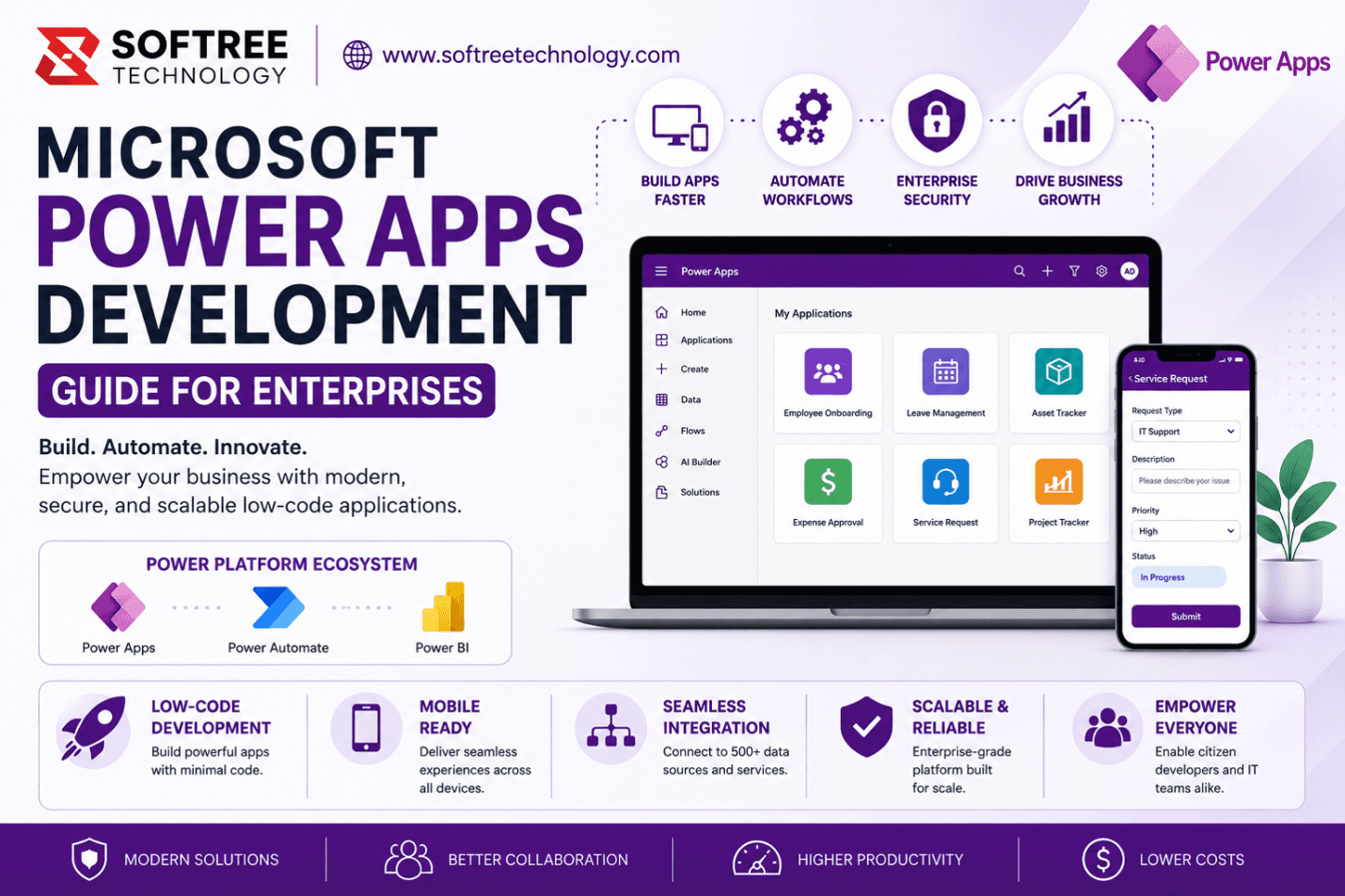
Introduction
Digital transformation is no longer optional for modern enterprises. Organizations are under increasing pressure to deliver better employee experiences, improve operational efficiency, and respond faster to changing business requirements.
Traditionally, building enterprise applications required months of development effort, significant investment, and highly specialized development teams. As business demands increased, IT departments often struggled to keep pace with application requests, resulting in growing backlogs and delayed innovation.
This challenge has created a new demand for low-code development platforms that enable organizations to build business applications faster without sacrificing security, scalability, or governance.
Microsoft Power Apps has emerged as one of the leading low-code platforms, enabling organizations to modernize legacy processes, automate workflows, and empower both developers and business users to create enterprise-grade applications.
In this guide, you’ll learn:
- What Microsoft Power Apps Development is
- Why organizations are adopting Power Apps
- How Power Apps development works
- Key features and capabilities
- Enterprise use cases and business benefits
- Best practices and common implementation mistakes
- How Power Apps compares to traditional development approaches
Quick Answer
Microsoft Power Apps Development is the process of creating custom business applications using Microsoft’s low-code Power Platform. Organizations use Power Apps to rapidly develop secure, scalable applications that integrate with Microsoft 365, SharePoint, Dataverse, Dynamics 365, SQL Server, and hundreds of other data sources. Power Apps significantly reduces development time while enabling enterprises to modernize operations, automate workflows, and improve productivity.
Table of Contents
- What is Microsoft Power Apps Development?
- Why is Microsoft Power Apps Development Important?
- How Does Microsoft Power Apps Development Work?
- Key Features and Components
- Benefits of Microsoft Power Apps Development
- Common Enterprise Use Cases
- Best Practices
- Common Mistakes to Avoid
- Power Apps vs Traditional Development
- Frequently Asked Questions
- Key Takeaways
- Conclusion
What is Microsoft Power Apps Development?
Definition
Microsoft Power Apps Development refers to the creation of custom business applications using Microsoft Power Apps, a low-code development platform within the Microsoft Power Platform ecosystem.
Power Apps enables organizations to design, build, test, and deploy business applications with minimal coding while maintaining enterprise-grade security, scalability, and integration capabilities.
Overview
Power Apps provides organizations with a faster alternative to traditional software development.
Instead of writing thousands of lines of code, developers and business users can use visual interfaces, drag-and-drop components, and pre-built connectors to create applications that support business processes.
Applications can run on:
- Web browsers
- Mobile devices
- Tablets
- Microsoft Teams
- Enterprise portals
Power Apps supports both citizen developers and professional developers, making it a flexible solution for organizations of all sizes.
Context
Modern businesses face increasing demands for:
- Process automation
- Employee self-service applications
- Mobile workforce enablement
- Data-driven decision making
- Integration across business systems
Traditional development approaches often struggle to meet these demands due to high costs, long development cycles, and limited resources.
Power Apps addresses these challenges by enabling rapid application development while leveraging existing Microsoft investments.
Why is Microsoft Power Apps Development Important?
Business Impact
Organizations are expected to deliver new digital capabilities faster than ever before.
Power Apps helps businesses:
- Accelerate application delivery
- Reduce IT backlogs
- Improve employee productivity
- Enable digital transformation initiatives
- Reduce operational costs
By shortening development cycles from months to weeks—or even days—organizations can respond more quickly to market demands.
Challenges Solved
Many enterprises struggle with:
Legacy Applications
Outdated systems often limit flexibility and create maintenance challenges.
Power Apps enables organizations to modernize these applications without expensive redevelopment projects.
Development Resource Constraints
Traditional software development requires highly specialized developers.
Power Apps enables both IT teams and business users to participate in application development.
Data Silos
Information often exists across multiple systems.
Power Apps connects data from:
- SharePoint
- Dataverse
- SQL Server
- Dynamics 365
- Salesforce
- Oracle
- SAP
- Microsoft 365
This creates a unified application experience.
Slow Innovation
Traditional development cycles can delay innovation.
Power Apps accelerates solution delivery and enables continuous improvement.
Business Benefits
Organizations that adopt Power Apps typically experience:
Faster Development
Applications can be developed significantly faster than traditional software projects.
Lower Development Costs
Low-code development reduces the need for extensive custom coding.
Improved User Experience
Applications are designed for both desktop and mobile users.
Enhanced Agility
Organizations can quickly adapt applications as business requirements change.
Better Governance
Microsoft provides enterprise-grade security, compliance, and governance capabilities.
How Does Microsoft Power Apps Development Work?
Step 1: Identify Business Requirements
The development process begins by understanding:
- Business objectives
- User requirements
- Existing challenges
- Data sources
- Workflow requirements
This ensures the solution aligns with business goals.
Step 2: Select the Appropriate Data Source
Power Apps supports numerous data sources, including:
- Microsoft Dataverse
- SharePoint Lists
- SQL Server
- Excel
- Dynamics 365
- Azure Services
- Third-Party Systems
Organizations can leverage existing data investments rather than creating new databases.
Step 3: Design the User Interface
Developers use drag-and-drop components to create:
- Forms
- Dashboards
- Galleries
- Navigation menus
- Data visualizations
Applications can be optimized for desktop, tablet, and mobile devices.
Step 4: Configure Business Logic
Using Power Fx, Microsoft’s low-code formula language, developers implement:
- Validation rules
- Business calculations
- Dynamic forms
- Conditional logic
- Data processing
This enables sophisticated business functionality without extensive coding.
Step 5: Integrate Workflows with Power Automate
Power Apps works seamlessly with Power Automate to automate:
- Approval processes
- Notifications
- Task assignments
- Document routing
- System integrations
This creates end-to-end business process automation.
Step 6: Test, Deploy, and Monitor
Before deployment, organizations perform:
- Functional testing
- Security testing
- User acceptance testing
- Performance validation
Applications are then deployed and continuously monitored for optimization.
Power Apps Development Workflow
Business Requirement
↓
Data Source Selection
↓
Application Design
↓
Business Logic Configuration
↓
Workflow Automation
↓
Testing & Validation
↓
Deployment
↓
Continuous Improvement
Key Features & Components
Microsoft Power Apps provides a robust low-code ecosystem that enables organizations to build, automate, and scale business applications efficiently.
Power Apps Canvas Apps
Canvas Apps provide complete control over application design and user experience.
Key capabilities include:
- Drag-and-drop interface design
- Responsive mobile experiences
- Custom branding
- Flexible layouts
- Integration with multiple data sources
Canvas Apps are ideal for custom business applications where user experience is a priority.
Example
A field service company can create a mobile inspection application that allows technicians to update work orders, capture images, and submit reports directly from customer locations.
Power Apps Model-Driven Apps
Model-Driven Apps focus on data, relationships, and business processes.
Key capabilities include:
- Rapid application development
- Automatic responsive layouts
- Business process flows
- Role-based security
- Dataverse integration
Model-Driven Apps are particularly effective for CRM, customer service, and operational management systems.
Microsoft Dataverse
Dataverse is Microsoft's secure enterprise data platform.
Features include:
- Relational data storage
- Business rules
- Data validation
- Role-based security
- Audit tracking
- Scalability
Dataverse enables organizations to create enterprise-grade applications without managing database infrastructure.
Power Automate Integration
Power Apps integrates seamlessly with Power Automate.
Organizations can automate:
- Approval processes
- Notifications
- Task assignments
- Document routing
- Data synchronization
This creates end-to-end business process automation.
AI Builder and Microsoft Copilot
Organizations can add AI capabilities directly into applications.
Examples include:
- Document processing
- Invoice extraction
- Sentiment analysis
- Object detection
- AI-powered chat experiences
These features help automate complex business tasks and improve decision-making.
Enterprise Connectors
Power Apps supports hundreds of connectors.
Popular integrations include:
- SharePoint
- Microsoft Teams
- Outlook
- SQL Server
- Dynamics 365
- Salesforce
- SAP
- Oracle
- Azure Services
These connectors eliminate data silos and improve productivity.
Benefits of Microsoft Power Apps Development
Organizations adopting Power Apps often experience significant operational and financial benefits.
Accelerated Application Development
Traditional application projects can take months to complete.
Power Apps enables organizations to:
- Build applications faster
- Deliver solutions rapidly
- Reduce development backlogs
- Accelerate innovation
Many applications can be delivered in weeks rather than months.
Lower Development Costs
Low-code development reduces the need for extensive custom coding.
Benefits include:
- Reduced development effort
- Faster deployment
- Lower maintenance costs
- Improved return on investment
Organizations can achieve more with existing IT resources.
Improved Employee Productivity
Power Apps automates repetitive tasks and simplifies business processes.
Employees benefit from:
- Faster approvals
- Simplified workflows
- Reduced manual data entry
- Better collaboration
This allows teams to focus on higher-value activities.
Enhanced Mobility
Power Apps applications work across:
- Desktop devices
- Tablets
- Smartphones
Employees can access business applications from anywhere.
Better Data Visibility
Power Apps consolidates information from multiple systems.
Benefits include:
- Real-time reporting
- Improved transparency
- Better decision-making
- Enhanced operational visibility
Enterprise Security and Governance
Microsoft provides:
- Azure Active Directory integration
- Role-based access control
- Data Loss Prevention policies
- Compliance frameworks
- Audit capabilities
Organizations can innovate while maintaining security and compliance.
Common Enterprise Use Cases
Employee Onboarding
Organizations automate onboarding activities such as:
- Employee registration
- Equipment requests
- HR approvals
- Training assignments
This improves employee experience and reduces onboarding time.
Leave and Attendance Management
Employees can:
- Submit leave requests
- View balances
- Track approvals
Managers can approve requests from any device.
Asset Management
Organizations manage:
- IT assets
- Equipment tracking
- Inventory
- Maintenance schedules
This improves accountability and operational efficiency.
Field Service Applications
Field employees can:
- Update work orders
- Capture inspection reports
- Upload photos
- Record customer signatures
Real-time synchronization improves service quality.
Procurement and Approval Systems
Businesses automate:
- Purchase requests
- Budget approvals
- Vendor onboarding
- Contract reviews
This accelerates procurement cycles.
Project Management Solutions
Organizations can track:
- Tasks
- Milestones
- Resources
- Risks
- Budgets
This improves project visibility and execution.
Best Practices
Start with Business Objectives
Technology should solve business problems.
Clearly define:
- Business goals
- User needs
- Success metrics
- Expected outcomes
Establish Governance Early
Governance should include:
- Environment strategy
- Security policies
- Application ownership
- Data management standards
Strong governance prevents future issues.
Design for Mobile Users
Many users access applications through mobile devices.
Ensure:
- Responsive layouts
- Simple navigation
- Mobile-friendly forms
Leverage Reusable Components
Reusable components improve:
- Consistency
- Development speed
- Maintainability
Optimize Performance
Focus on:
- Efficient data retrieval
- Minimizing screen load times
- Reducing unnecessary calculations
Performance directly impacts user adoption.
Plan for Scalability
Applications should support future growth.
Consider:
- User expansion
- Data growth
- Additional integrations
- Future automation requirements
Common Mistakes to Avoid
Overengineering Solutions
Power Apps is designed for rapid low-code development.
Avoid creating unnecessary complexity.
Ignoring Governance
Without governance, organizations may face:
- Security risks
- Application sprawl
- Compliance issues
Poor Data Architecture
Bad data design often leads to:
- Slow performance
- Reporting issues
- Maintenance challenges
Plan your data model carefully.
Skipping User Testing
Applications should always be tested with end users before deployment.
User feedback improves adoption and usability.
Trying to Automate Everything at Once
Start small and expand gradually.
Prioritize high-value business processes first.
Does Power Apps require coding?
Power Apps is primarily a low-code platform. Most applications can be built with minimal coding.
What data sources can Power Apps connect to?
Power Apps connects to:
- SharePoint
- Dataverse
- SQL Server
- Dynamics 365
- Microsoft 365
- Salesforce
- SAP
- Oracle
- Azure Services
and hundreds of additional systems.
What is the difference between Canvas Apps and Model-Driven Apps?
Canvas Apps prioritize custom user experiences, while Model-Driven Apps prioritize data and business processes.
Is Power Apps secure?
Yes. Power Apps leverages Microsoft security technologies including Azure Active Directory, role-based access control, compliance controls, and audit logging.
Key Takeaways
- Microsoft Power Apps enables rapid development of enterprise-grade applications using low-code technology.
- Organizations can modernize legacy systems without lengthy software development projects.
- Power Apps integrates with Microsoft 365, SharePoint, Dataverse, Dynamics 365, SQL Server, and hundreds of external systems.
- Power Automate enables end-to-end workflow automation.
- Enterprise-grade security and governance make Power Apps suitable for large organizations.
- AI Builder and Microsoft Copilot enable intelligent business applications.
- Proper governance and architecture are essential for long-term success.
- Power Apps significantly reduces development time and costs compared to traditional software development.
Conclusion
Microsoft Power Apps has transformed how organizations build business applications. By combining low-code development, enterprise-grade security, extensive integration capabilities, and intelligent automation, Power Apps enables businesses to accelerate digital transformation while reducing costs and improving productivity.
Whether your organization is modernizing legacy systems, automating workflows, or building entirely new digital solutions, Power Apps provides the flexibility and scalability required to support long-term business growth.
As organizations continue their digital transformation journeys, Power Apps will remain a critical platform for delivering agile, secure, and innovative business applications.
Ready to Transform Your Business with Microsoft Power Apps?
At Softree Technology, we help organizations unlock the full potential of Microsoft Power Platform through custom application development, workflow automation, and enterprise modernization services.
Our Services
- Power Apps Consulting
- Custom Power Apps Development
- Legacy Application Modernization
- Power Automate Workflow Automation
- SharePoint & Dataverse Integration
- Microsoft Copilot & AI Solutions
- Power Platform Governance
- Managed Support Services
Why Softree Technology?
- Experienced Microsoft Power Platform Specialists
- Enterprise Application Development Expertise
- Proven Modernization Frameworks
- Secure and Scalable Solutions
- End-to-End Implementation Support
Get Started Today
Whether you're replacing spreadsheets, modernizing legacy applications, or building enterprise-grade digital solutions, Softree Technology can help you accelerate your transformation journey.
Contact Softree Technology today to schedule a Power Apps consultation and discover how low-code innovation can drive business growth and operational excellence.
Website: https://www.softreetechnology.com