Introduction
Every organization relies on business processes for daily operations, from employee onboarding and purchase approvals to invoice processing, customer service, and compliance reporting. However, many processes still depend on manual tasks, emails, spreadsheets, and paper-based approvals.
These outdated methods can slow productivity, increase operational costs, and create unnecessary errors. Business Process Automation helps organizations replace repetitive manual workflows with intelligent, automated processes that improve speed, accuracy, and efficiency.
Microsoft Power Platform provides a low-code ecosystem for automating approvals, connecting enterprise applications, eliminating repetitive work, and improving operational visibility.
Quick Answer: What Is Business Process Automation?
Business Process Automation (BPA) uses technology to automate repetitive business tasks, approvals, and workflows, reducing manual effort while improving speed, accuracy, and efficiency.
Microsoft Power Platform supports BPA through:
- Power Automate
- Power Apps
- Microsoft Dataverse
- SharePoint Online
- Microsoft Copilot
- Power BI
- Microsoft Teams
- Azure AI Services
The key benefit is the ability to connect people, systems, applications, and data into end-to-end business workflows.
Table of Contents
- What Is Business Process Automation?
- Why Is Business Process Automation Important?
- How Does Business Process Automation Work?
- Key Features and Components
- Benefits of Business Process Automation
- Common Use Cases
- Best Practices
- Common Mistakes to Avoid
- Manual Processes vs Business Process Automation
- Frequently Asked Questions
- Key Takeaways
- Conclusion
What Is Business Process Automation?
Business Process Automation is the practice of using software and intelligent workflows to automate repetitive business activities with minimal human intervention.
Instead of relying on emails, spreadsheets, and manual approvals, automated workflows help ensure tasks are completed consistently and efficiently. Unlike basic task automation, BPA connects people, applications, systems, and data into a connected workflow supporting end-to-end operations.
Organizations commonly automate:
- Purchase approvals
- Employee onboarding
- Leave requests
- Invoice processing
- Customer onboarding
- IT support requests
- Contract approvals
- Expense reimbursements
- Compliance reporting
- Document management
Why Is Business Process Automation Important?
As organizations grow, manual processes become increasingly difficult to manage. Employees can spend significant time performing repetitive administrative work instead of focusing on strategic initiatives.
Business Process Automation helps standardize workflows, improve operational visibility, and reduce delays and errors.
Business Impact
Organizations can use BPA to:
- Increase employee productivity
- Reduce operational costs
- Improve process consistency
- Accelerate approvals
- Enhance customer satisfaction
- Reduce processing errors
- Improve compliance
- Enable faster decision-making
Challenges It Solves
BPA addresses common operational problems such as:
- Manual approvals
- Paper-based workflows
- Duplicate data entry
- Process delays
- Human errors
- Lack of workflow visibility
- Poor system integration
- Inconsistent business processes
How Does Business Process Automation Work?
Microsoft Power Platform provides a low-code environment where organizations can design, deploy, and monitor business processes without extensive software development.
Step 1: Identify Business Processes
Start by identifying repetitive, rule-based activities that consume significant employee time.
Examples include:
- Approval workflows
- Employee onboarding
- Invoice approvals
- Expense claims
- Customer requests
- Document routing
- Inventory updates
Step 2: Build Automated Workflows
Using Power Automate, organizations can create workflows that perform tasks across multiple systems.
Typical automation includes:
- Sending approval requests
- Triggering email notifications
- Updating SharePoint lists
- Creating Dataverse records
- Integrating with Dynamics 365
- Connecting third-party applications
- Automating document processing
- Scheduling recurring tasks
Power Apps can provide custom interfaces through which employees interact with these automated workflows.
Step 3: Monitor and Optimize
After deployment, organizations can monitor workflow performance using Power BI.
Key metrics include:
- Workflow completion times
- Approval bottlenecks
- Process efficiency
- Error rates
- Automation usage
- Operational KPIs
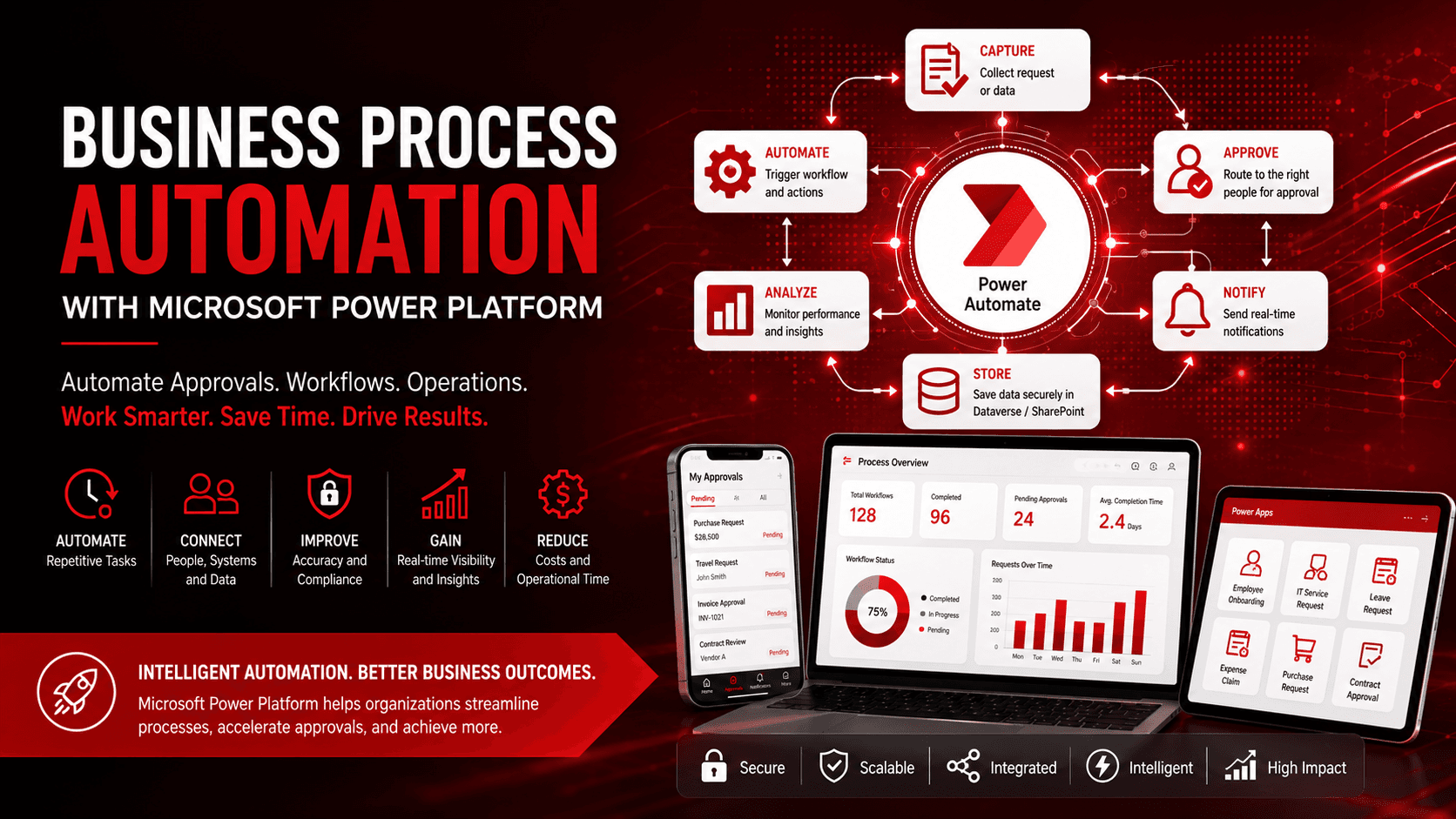
Automation Flow
Business Request → Power Apps / Microsoft Forms → Power Automate → Approvals & Notifications → SharePoint / Dataverse → Business Applications → Power BI Reporting → Continuous Process Improvement
Key Features and Components
Microsoft Power Automate
Power Automate is the core workflow automation engine within Microsoft Power Platform. It supports approvals, scheduled workflows, application integration, document processing, notifications, and business-data synchronization.
Microsoft Power Apps
Power Apps enables organizations to build custom business applications that interact with automated workflows.
Common applications include:
- Employee self-service portals
- Inspection applications
- Request management
- Field service solutions
- Inventory tracking
- Customer data collection
Microsoft Dataverse and SharePoint Online
Dataverse provides centralized business-data management, while SharePoint Online supports secure document storage and collaboration.
Together they provide:
- Centralized data management
- Secure document storage
- Workflow integration
- Version control
- Enterprise collaboration
Microsoft Copilot
Microsoft Copilot adds AI capabilities to BPA through content generation, workflow summaries, document creation, intelligent recommendations, and decision support.
Power BI
Power BI converts workflow data into interactive dashboards, helping organizations identify bottlenecks, measure automation performance, and continuously improve operations.
Benefits of Business Process Automation
Increased Operational Efficiency
Automation reduces repetitive manual activities and allows employees to focus on strategic and value-driven work.
Faster Approvals and Decision-Making
Automated approval workflows route requests to the right stakeholders and provide real-time notifications, reducing approval delays.
Improved Accuracy
Standardized automated workflows reduce manual data-entry errors, improve data quality, and minimize rework.
Lower Operational Costs
Automating repetitive processes can reduce administrative expenses, paperwork, and processing costs while improving employee-time utilization.
Better Compliance and Visibility
Automated workflows create audit trails and provide visibility into workflow status, approvals, governance, and compliance activities.
Common Use Cases
Employee Onboarding
Automate employee records, task assignments, welcome emails, document collection, and notifications between HR and IT teams.
Purchase and Expense Approvals
Route purchase requests and expense claims to appropriate managers while notifying finance teams and updating records automatically.
Customer Onboarding
Capture customer information, validate documents, assign onboarding tasks, and notify sales or support teams.
Invoice Processing
Automate invoice approvals, payment requests, document storage, and ERP updates using Power Automate and AI-powered document processing.
IT Service Requests
Automate helpdesk ticket assignment, technician notifications, escalations, user updates, and service-performance monitoring.
Best Practices
For successful Business Process Automation:
- Identify repetitive and high-volume processes.
- Start with simple workflows before scaling.
- Standardize business rules across departments.
- Integrate Power Automate with Microsoft 365.
- Store business data securely in Dataverse or SharePoint.
- Monitor workflow performance regularly.
- Train employees on automated processes.
- Continuously optimize workflows based on business needs.
Common Mistakes to Avoid
Avoid these common automation problems:
- Automating inefficient processes without optimizing them first
- Building overly complex workflows
- Ignoring security and governance
- Failing to document automation processes
- Not testing workflows before deployment
- Overlooking exception handling
- Neglecting employee training and adoption
Conclusion
Business Process Automation is an important component of modern digital transformation. Organizations that continue relying on manual workflows can face delays, higher operational costs, errors, and inconsistent processes.
Microsoft Power Platform enables businesses to automate approvals, streamline operations, improve collaboration, and increase productivity through secure, scalable, and intelligent workflows. Power Automate, Power Apps, SharePoint Online, Dataverse, Power BI, and Microsoft Copilot work together to provide a comprehensive low-code automation ecosystem.
Partner With Softree Technology
Softree Technology helps organizations design, implement, and optimize Business Process Automation solutions using Microsoft Power Platform, including workflow assessments, Power Automate implementation, Power Apps development, SharePoint integration, AI-powered automation, and enterprise governance.
Visit Softree Technology at https://www.softreetechnology.com/ to explore Business Process Automation solutions.