Microsoft Power Apps Pricing Explained for Businesses
Learn how Microsoft Power Apps licensing works, compare pricing models, and choose the right plan to optimize costs and support business growth.
POWER APPS INSIGHTS
Why Microsoft Power Apps Pricing Matters for Businesses
Understanding Microsoft Power Apps Pricing Challenges
Organizations often struggle to select the right licensing model because Microsoft offers multiple options tailored to different business requirements. Factors such as user count, application complexity, data sources, workflow automation, AI capabilities, and enterprise integrations all influence licensing decisions.
Many businesses focus only on upfront licensing costs instead of evaluating long-term scalability and usage patterns. This can lead to unnecessary expenses, underutilized licenses, and limited flexibility as the organization grows.
Industry Challenges
- Multiple licensing options with different capabilities
- Estimating long-term licensing costs
- Managing enterprise governance and compliance
- Scaling applications while controlling costs
- Supporting digital transformation initiatives
Business Impact
- Higher software costs
- Reduced return on investment
- Slower application deployment
- Compliance challenges
- Limited scalability
Suggested Visual
Microsoft Power Platform Licensing Overview showing Power Apps connected to Microsoft 365, Power Automate, Dataverse, Power BI, Dynamics 365, and Azure.
Key Takeaways
- Microsoft offers flexible licensing options for organizations of all sizes.
- Licensing should align with business goals, user requirements, and application complexity.
- Choosing the right licensing strategy reduces costs and improves scalability.
- Regular license reviews help maximize return on investment.
Choosing the Right Licensing Strategy
A structured licensing approach helps organizations optimize software costs while ensuring flexibility for future growth.
Assess Business Requirements
Evaluate the number of users, business processes, application requirements, and automation needs.
Select a Licensing Model
Choose the licensing option that best matches your organization's usage and operational goals.
Evaluate Data Sources
Determine whether applications will connect to Microsoft Dataverse, SharePoint, SQL Server, Dynamics 365, Azure Services, or other enterprise systems.
Plan Integrations
Integrate Power Apps with Microsoft Teams, Power Automate, Power BI, Microsoft 365, and third-party business applications.
Monitor and Scale
Review license usage regularly and expand users, applications, or enterprise capabilities as business needs evolve.
Implementation and Real-World Use Cases
Organizations typically begin by assessing existing Microsoft licenses and identifying business processes suitable for automation. After selecting the appropriate licensing model, Power Apps solutions are developed, deployed, and monitored to ensure adoption and long-term value.
Common Use Cases
- Employee onboarding and HR automation
- Expense approval workflows
- Inventory management
- Field service applications
- Customer service portals
- Inspection and compliance forms
Business Outcomes
- Reduced manual work
- Faster application delivery
- Lower development costs
- Improved productivity
- Better operational visibility
Best Practices and Future Trends
Best Practices
- Assess current and future business requirements.
- Select licenses based on actual usage.
- Review subscriptions regularly.
- Implement governance policies.
- Plan for future scalability.
Common Mistakes
- Purchasing unnecessary licenses
- Ignoring Microsoft 365 included capabilities
- Failing to monitor license usage
- Not planning for future growth
Emerging Trends
- AI-assisted application development
- Microsoft Copilot integration
- Growth of citizen developers
- Enterprise-wide low-code adoption
- Expanded Power Platform capabilities
Expert Insight
Organizations achieve the greatest value from Microsoft Power Apps when licensing decisions are based on long-term business objectives rather than upfront costs alone. Evaluating user needs, application complexity, integrations, and governance requirements early helps reduce licensing expenses while improving scalability, compliance, and return on investment. Regularly reviewing license usage ensures businesses continue to optimize their Microsoft Power Platform investment as their requirements evolve.
Evidence
Microsoft Power Apps Licensing at a Glance
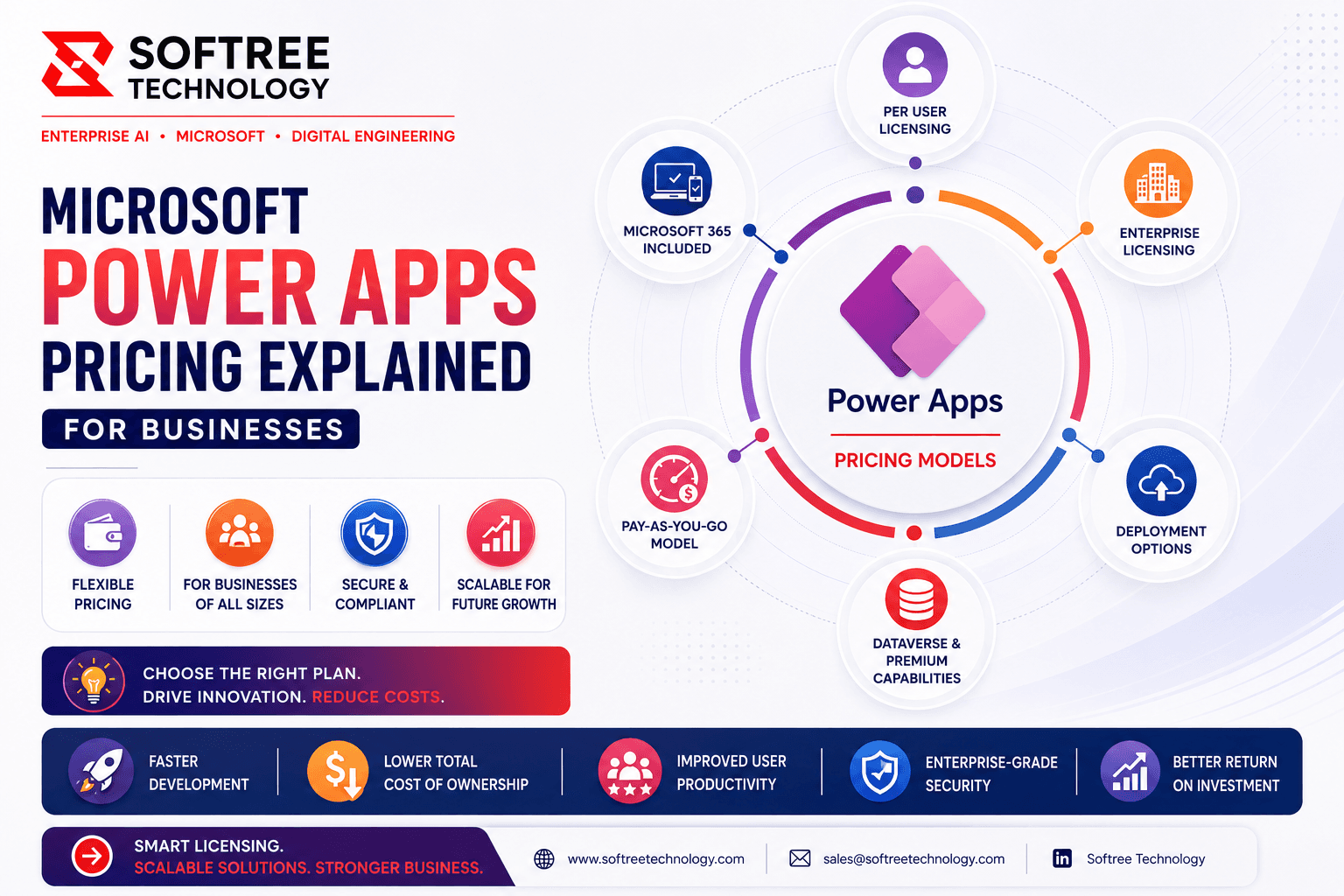
Microsoft Power Apps offers flexible licensing for organizations of all sizes. Pricing depends on users, app complexity, data sources, automation, AI, and integrations. Choosing the right plan helps reduce costs, improve scalability, maintain compliance, and maximize the value of your Microsoft investment.
Microsoft offers multiple Power Apps licensing options to support organizations of different sizes and business requirements.
Source Microsoft Power Apps Licensing Documentation
Frequently Asked Questions.
Question Answer:
Microsoft Power Apps pricing depends on factors such as the licensing model, number of users, application complexity, data sources, workflow automation, AI capabilities, and enterprise integrations. Businesses should choose a plan that aligns with their usage and growth requirement.
Question Answer:
The best licensing plan depends on your organization's size, application usage, and business goals. Small businesses may use Microsoft 365 included capabilities, while larger organizations often benefit from dedicated or enterprise licensing that supports advanced features and scalability.
Build faster with a reliable offshore engineering partner.
Partner with Softree to accelerate product delivery, modernize enterprise systems, and scale with confidence.

What we offer
Offices
Bengaluru
11th Floor, Prestige Tech Park, Platina 2 · Outer Ring Rd, Kadubeesanahalli · Bengaluru, Karnataka 560087, India
Cuttack
PLOT B6-1628, SECTOR-10, CDA · Cuttack, Odisha 753014 · India
San Francisco
San Francisco, CA 94108 · United States
Got a question, challenge, or idea?
Fill out the form or pick a time on our scheduler.
30-min discovery call
Same Calendly as our booking page · instant invite