1. Introduction
├── Hook
Software testing is changing rapidly as development teams release software more frequently, applications become more interconnected, and AI-assisted development increases the amount of code and functionality that needs to be validated.
├── Problem Statement
Traditional automation remains essential, but simply adding more scripted tests is not always enough. Large regression suites, changing applications, maintenance requirements, and increasing testing complexity create new challenges for QA teams.
└── What the Reader Will Learn
Learn what AI-powered test automation is, how AI supports the testing lifecycle, its benefits and limitations, practical use cases, adoption best practices, and the skills QA engineers need in the AI era.
──────────────────────────────────────────────────────────────
2. Quick Answer
├── Brief Summary
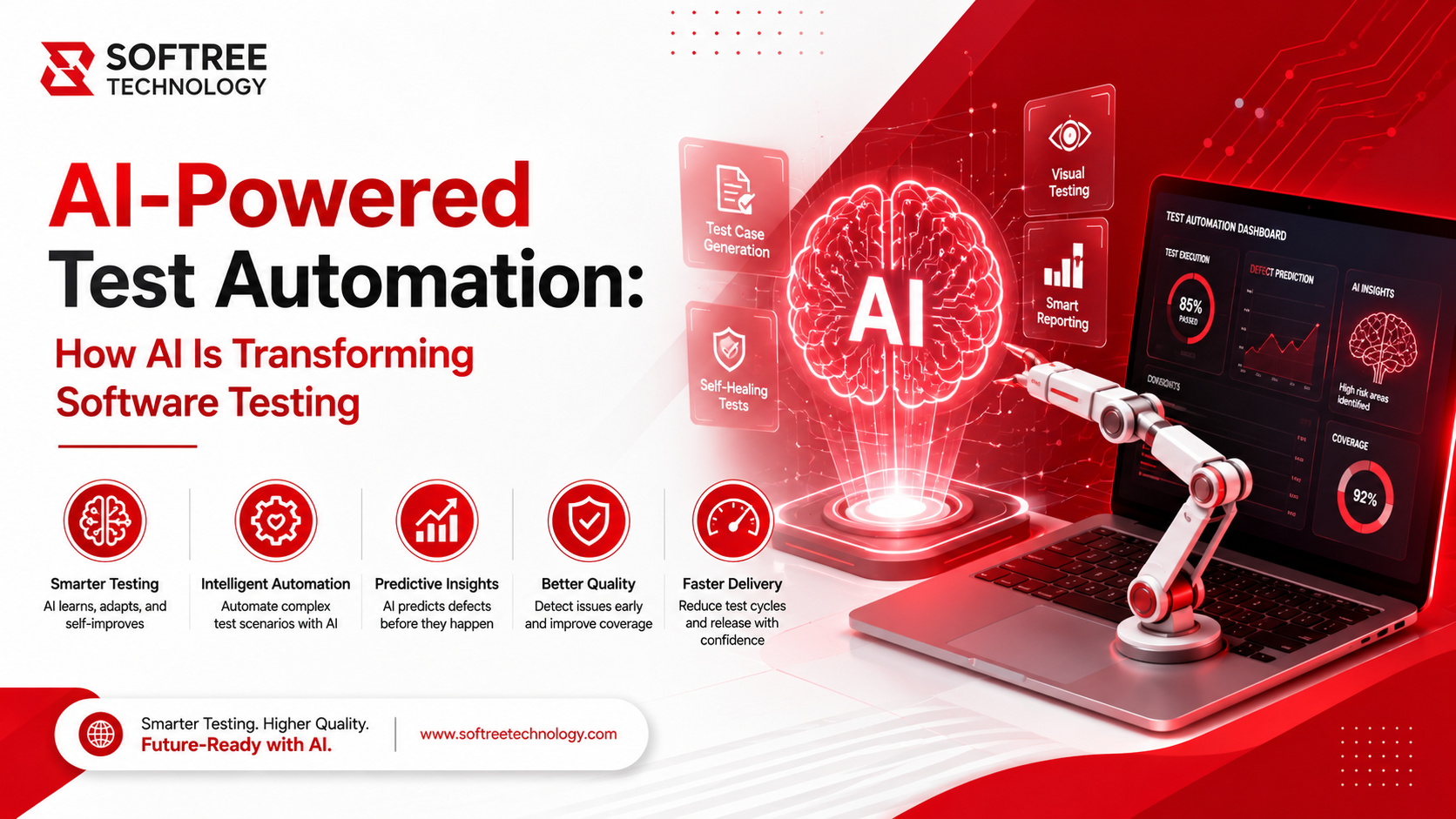
AI-powered test automation uses artificial intelligence to assist with test creation, test-data generation, test selection, maintenance, failure analysis, and reporting. It makes traditional automation more adaptive and scalable.
└── Key Takeaway
AI does not replace testing or QA engineers. The strongest approach combines AI capabilities with proven automation frameworks, domain knowledge, QA practices, and human oversight.
──────────────────────────────────────────────────────────────
3. Table of Contents
├── What Is AI-Powered Test Automation?
├── Why Is AI Changing Software Testing?
├── How Does AI Support the Testing Lifecycle?
├── Key Features / Components
├── Benefits of AI-Powered Test Automation
├── Common Use Cases
├── Best Practices for Adopting AI
├── Common Mistakes to Avoid
├── Key Takeaways
└── Conclusion
──────────────────────────────────────────────────────────────
4. What Is AI-Powered Test Automation?
├── Definition
AI-powered test automation uses artificial intelligence, machine learning, natural language processing, computer vision, and related technologies to improve automated software testing.
├── Overview
Traditional automation executes predefined steps, while AI can understand requirements, suggest scenarios, recognize application elements, analyze previous results, detect anomalies, and assist with test maintenance.
└── Industry Context
Modern applications include web interfaces, APIs, mobile clients, cloud services, third-party integrations, and complex data flows. Large regression suites also create challenges around test selection, maintenance, failure analysis, and meaningful reporting.
──────────────────────────────────────────────────────────────
5. Why Is AI-Powered Test Automation Important?
├── Business Impact
│ ├── Accelerates test creation
│ ├── Speeds up regression cycles
│ ├── Reduces repetitive QA work
│ ├── Improves test coverage
│ └── Helps teams release with greater confidence
├── Challenges It Solves
│ ├── Large regression suites
│ ├── Repetitive test maintenance
│ ├── Changing application interfaces
│ ├── Manual failure investigation
│ └── Identifying coverage gaps
└── Key Benefits
AI can help teams move from an execution-focused testing model toward an intelligence-assisted model by helping determine what to test, which tests matter most, and what patterns exist in test results.
──────────────────────────────────────────────────────────────
6. How Does AI-Powered Test Automation Work?
├── Step 1: Requirement Analysis
AI analyzes user stories, acceptance criteria, specifications, and requirements to identify potential test conditions.
├── Step 2: Test Design and Generation
AI suggests positive, negative, boundary, and edge-case scenarios based on requirements or application behavior.
├── Step 3: Test Data and Automation Development
AI can help generate realistic test data and automation code or natural-language tests.
├── Step 4: Test Execution and Prioritization
AI can prioritize tests based on application changes, historical failures, and risk.
├── Step 5: Maintenance and Failure Analysis
AI can assist with self-healing, analyze logs and screenshots, classify failures, and identify likely causes.
└── Diagram / Process Flow / Visual
Requirements → AI Test Generation → Test Data → Automation → Intelligent Execution → Failure Analysis → Reporting → Human Validation
──────────────────────────────────────────────────────────────
7. Key Features / Components
├── AI Test-Case Generation
Generate or suggest positive, negative, boundary, and edge-case scenarios.
├── Intelligent Test Selection
Prioritize tests based on changes, historical failures, risk, and available signals.
├── Test Data Generation
Generate realistic test data, variations, boundary values, and combinations.
├── AI-Assisted Automation Development
Generate automation code or natural-language tests.
├── Self-Healing Test Automation
Assist with adapting tests when UI elements or locators change.
├── AI Failure Analysis
Analyze logs, screenshots, traces, and previous failures.
└── Intelligent Reporting
Summarize large test runs and highlight recurring failures, risks, and trends.
──────────────────────────────────────────────────────────────
8. Benefits of AI-Powered Test Automation
├── Benefit 1: Faster Test Creation
AI can accelerate test scenarios and automation code creation.
├── Benefit 2: Broader Test Coverage
AI can identify variations and edge cases that may otherwise be missed.
├── Benefit 3: Reduced Automation Maintenance
Self-healing and intelligent element identification can reduce manual maintenance.
├── Benefit 4: Faster Regression Cycles
Intelligent test selection helps teams obtain useful feedback earlier.
├── Benefit 5: Efficient Failure Investigation
AI can group similar failures and surface relevant patterns.
└── Benefit 6: Better Use of QA Expertise
QA professionals can spend more time on exploratory testing, usability, risk analysis, business workflows, and complex scenarios.
──────────────────────────────────────────────────────────────
9. Common Use Cases
├── Use Case 1: Web and UI Testing
AI-assisted UI-element identification, workflow generation, visual validation, and adaptation to interface changes.
├── Use Case 2: API Testing
Generate API scenarios, suggest boundary conditions, analyze responses, and identify unusual behavior.
├── Use Case 3: Mobile Testing
Manage variations across devices, operating systems, screen sizes, permissions, and user flows.
├── Use Case 4: Regression Testing
Analyze application changes and historical test data to prioritize relevant tests.
├── Use Case 5: Visual Testing
Use computer vision to identify visual differences.
└── Use Case 6: Enterprise Applications
Scale test coverage across complex workflows and integrations while reducing repetitive analysis and maintenance.
──────────────────────────────────────────────────────────────
10. Best Practices
├── Best Practice 1: Start With a Specific Problem
Identify a measurable bottleneck such as regression time, script maintenance, failure analysis, or insufficient coverage.
├── Best Practice 2: Begin With a Controlled Pilot
Establish baseline metrics and compare results after introducing AI.
├── Best Practice 3: Keep Humans in the Loop
QA engineers should review generated tests, automation changes, failure classifications, and risk recommendations.
├── Best Practice 4: Combine AI With Existing Frameworks
AI should complement established automation instead of forcing a complete replacement.
├── Best Practice 5: Measure Quality, Not Just Speed
Track coverage, escaped defects, execution time, maintenance effort, false positives, false negatives, and failure-investigation time.
└── Best Practice 6: Establish Security and Governance
Define data access, artifact storage, user permissions, and review processes.
──────────────────────────────────────────────────────────────
11. Common Mistakes to Avoid
├── Mistake 1: Accepting AI-Generated Tests Without Review
AI-generated test cases can be incomplete, technically incorrect, or irrelevant to the business.
├── Mistake 2: Assuming More AI Tests Mean Better Coverage
A large number of generated tests does not automatically indicate meaningful quality or defect detection.
├── Mistake 3: Trusting Self-Healing Without Governance
Automatically adapted tests can continue running even when expected application behavior has changed.
├── Mistake 4: Ignoring Security and Data Risks
Organizations must control how AI systems access, process, store, and transmit testing data.
└── Mistake 5: Adopting AI Without Measuring ROI
AI tools can introduce licensing, infrastructure, governance, and training costs, so adoption should be based on measurable outcomes.
──────────────────────────────────────────────────────────────
12. Key Takeaways
✓ AI-powered test automation extends traditional automation with intelligence across the testing lifecycle.
✓ AI can accelerate test creation, improve coverage, prioritize regression tests, reduce maintenance, and analyze failures.
✓ AI does not replace QA engineers; human validation, domain expertise, and risk assessment remain essential.
✓ The most effective adoption strategy starts with a specific problem, uses a controlled pilot, integrates with existing frameworks, and measures quality outcomes.
──────────────────────────────────────────────────────────────
13. Conclusion
├── Summary
AI-powered test automation moves software testing beyond simple scripted execution by assisting with test generation, prioritization, maintenance, failure analysis, and reporting.
├── Final Insight
AI is not a substitute for testing expertise. The real value comes from combining machine-assisted speed and analysis with human judgment, domain knowledge, and strong QA practices.
Ready to make software testing more intelligent? Explore Softree Technology for AI, automation, Microsoft, and enterprise software solutions, and start a conversation about your testing and quality-engineering goals.
Softree Technology: https://www.softreetechnology.com/